Avidemux Alternatives for Windows

There are many alternatives to Avidemux for Windows if you are looking for a replacement. The best Windows alternative is Kdenlive, which is both free and Open Source. If that doesn't suit you, our users have ranked more than 100 alternatives to Avidemux and loads of them are available for Windows so hopefully you can find a suitable replacement. Other interesting Windows alternatives to Avidemux are Shotcut, DaVinci Resolve, OpenShot and LosslessCut.

Copy a direct link to this comment to your clipboard
Avidemux alternatives page was last updated

Alternatives list

  1. Kdenlive icon
     881 likes

    Free, open-source multi-track video editor supporting multiple platforms and formats. Features include chroma key, color grading, 4K rendering, keyframe animation, and customizable workspaces. Offers privacy focus, offline use, and hardware acceleration without ads or registration.

    120 Kdenlive alternatives

    Cost / License

    Application type

    Platforms

    • Mac
    • Windows
    • Linux
    • BSD
    • KDE Plasma
    • Snapcraft
    • Flathub
    • Flatpak
     
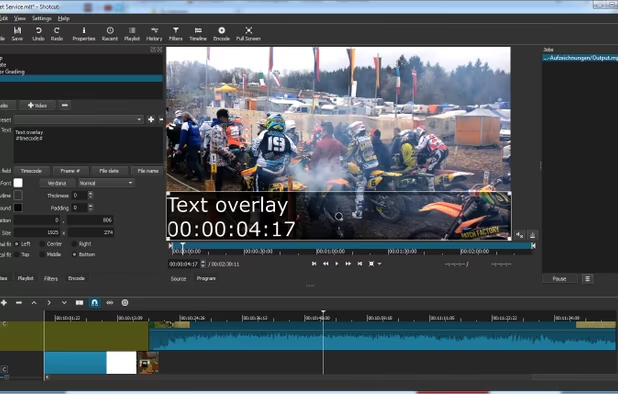
  2. Shotcut icon
     475 likes

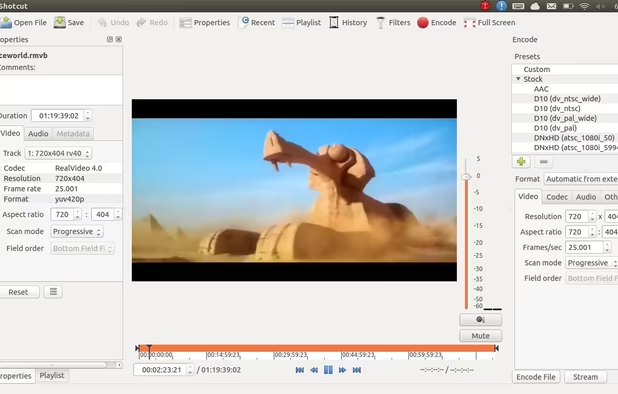
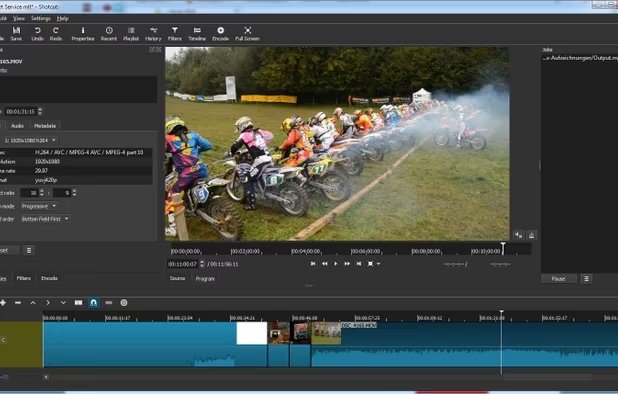
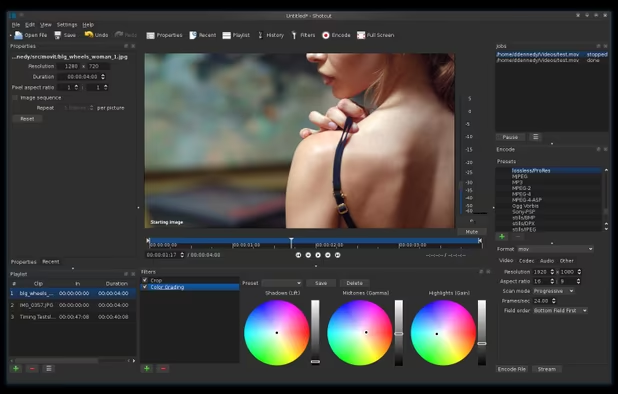
    Free and open-source, Shotcut is a cross-platform video editor supporting myriad formats with native editing, multi-format timelines, and precise seeking. It offers versatile resolution supports, capturing options up to 4k, and extensive platform integration through various capture and monitoring services.

    133 Shotcut alternatives

    Cost / License

    Application type

    Platforms

    • Mac
    • Windows
    • Linux
    • AppImageHub
    • Snapcraft
    • Flathub
    • PortableApps.com
     
  3. DaVinci Resolve icon
     445 likes

    Combines advanced video editing and color correction with integrated visual effects, motion graphics, and audio post-production in a user-friendly interface used by professionals, supporting 4K content, node-based control, plugins, and non-destructive editing, all within one app.

    119 DaVinci Resolve alternatives

    Cost / License

    • Freemium
    • Proprietary

    Application type

    Platforms

    • Mac
    • Windows
    • Linux
    • iPad
     
  4. OpenShot icon
     574 likes

    Open-source, cross-platform video editor with unlimited tracks, simple interface, 3D animated titles, video and audio effects, waveform visualization, trim tools, keyframe animations, drag and drop import, multi-language support, and no export watermarks.

    136 OpenShot alternatives

    Cost / License

    • Free
    • Open Source

    Application type

    Platforms

    • Mac
    • Windows
    • Linux
    • Flathub
    • Flatpak
     
    |
    2
    OpenShot vs Avidemux Comments
    Guest
    Negative
    8

    Too many features, too slow. I just want to trim the leading and sometimes the trailing end of a video clip. Avidemux does this in 30 seconds.

    Review by a new / low-activity user.
    Guest
    Negative
    1

    It only has the skin of a video editor

    Review by a new / low-activity user.
    • OpenShot is Free and Open SourceAvidemux is also Free and Open Source
    • OpenShot is Privacy focusedAvidemux is not according to our users
  5. LosslessCut icon
     131 likes

    Simple, cross platform video editor for lossless trimming / cutting of videos. Great for rough processing of large video files taken from a video camera, GoPro, drone, etc. Lets you quickly extract the good parts from your videos and discard GB of data without losing quality.

    18 LosslessCut alternatives

    Cost / License

    Application type

    Platforms

    • Mac
    • Windows
    • Linux
     
    |
    3
    LosslessCut vs Avidemux Comments
    linuxplayer
    Positive
    1

    I've found lossless cut to be less reliable than Avidemux. I tried to extract a 3 seconds part of a video. Lossless cut made it to long or exported without the video. Avidemux worked without any hassle. Sums it up for me.

    Guest
    Positive
    3

    Lossless Cut works as well as Avidemux, plus it's very easy to use just like Avidemux.

    Review by a new / low-activity user.
    Marnes
    Positive
    0

    It's pretty much the same software in functionality, just in a more modern GUI and a little less minimalistic. It has prompts to ask you what to do with things like chapters and cuts, file naming patterns, auto detection of formats, etc. I needed it because I have a video file with 9 audio tracks and avidemux only handles up to 8. Aside from getting used to a new gui and trying all the options like project file autodelete, it's a drop-in replacement.

    • LosslessCut is Free and Open SourceAvidemux is also Free and Open Source
    • LosslessCut is Privacy focusedAvidemux is not according to our users
  6. CapCut icon
     69 likes

    This free video editing app offers features like cutting, speed adjustments, advanced filters, chroma key, and a vast music library. Enjoy non-destructive editing, keyframe animation, transitions, and 4K support across multiple devices without ads or registration.

    172 CapCut alternatives

    Cost / License

    • Freemium
    • Proprietary

    Application type

    Platforms

    • Mac
    • Windows
    • Online
    • Android
    • iPhone
    • Android Tablet
    • iPad
     
  7. VirtualDub icon
     323 likes

    VirtualDub is a video capture/processing utility for 32-bit and 64-bit Windows platforms (98/ME/NT4/2000/XP/Vista/7), licensed under the GNU General Public License (GPL). It lacks the editing power of a general-purpose editor such as Adobe Premiere, but is streamlined for fast...

    133 VirtualDub alternatives

    Cost / License

    • Free
    • Open Source

    Application type

    Alerts

    • Discontinued

    Platforms

    • Windows
    • PortableApps.com
     
    |
    2
    VirtualDub vs Avidemux Comments
    Guest
    Positive
    0

    AVI format and multiaudio support is better than in avidemux, I use it to fix audio delay issues with avidemux AVI output and set AVI muxing parameters.

    Review by a new / low-activity user.
    Guest
    Positive
    -1

    Both are linear video editors, very similar in function.

    Review by a new / low-activity user.
    • VirtualDub is Free and Open SourceAvidemux is also Free and Open Source
  8. Lightworks icon
     167 likes

    Lightworks is an editing powerhouse, delivering unparalleled speed and flexibility, fully integrated with the other members of the Complete Collaboration family.

    110 Lightworks alternatives

    Cost / License

    • Freemium
    • Proprietary

    Application type

    Platforms

    • Mac
    • Windows
    • Linux
     
    |
    1
    Lightworks vs Avidemux Comments
    Guest
    Positive
    -2

    Lightworks is a well known video editor and transcoder that used to be an industry leader before final cut pro

    Review by a new / low-activity user.
    • Lightworks is Freemium and ProprietaryAvidemux is Free and Open Source
  9. XMedia Recode icon
     119 likes

    Supports conversion of a wide range of audio and video formats, batch processing, basic editing such as cutting, cropping, and color correction, device presets, direct stream copy, bitrate calculator for file size control, and processing of unprotected DVDs only.

    117 XMedia Recode alternatives

    Cost / License

    • Free
    • Proprietary

    Platforms

    • Windows
     
  10. OpenCut icon
     16 likes

    The open source video editor that gets the job done. Simple, powerful, and works on any platform.

    62 OpenCut alternatives

    Cost / License

    • Free
    • Open Source (MIT)

    Application type

    Platforms

    • Mac
    • Windows
    • Linux
    • Docker
    • Online
    • Self-Hosted
     
  11. Easy video editor designed for beginners and content creators, featuring a drag-and-drop timeline, 4K/8K support, built-in effects, transitions, titles, AI-driven tools for background removal, screen recording, Instant Mode templates, stabilization, and direct online sharing.

    154 Wondershare Filmora alternatives

    Cost / License

    • Freemium
    • Proprietary

    Application type

    Platforms

    • Mac
    • Windows
    • Android
    • iPhone
    • Android Tablet
    • iPad
     
    |
    1
    Wondershare Filmora vs Avidemux Comments
    Guest
    Positive
    2

    I've used Wondershare Filmora/Video Editor for a few years. It's very simple to use and in it latest incarnation, it is very quick.

    Review by a new / low-activity user.
    • Wondershare Filmora is Freemium and ProprietaryAvidemux is Free and Open Source
12 of 107 Avidemux alternatives