

Authenticator by Vidus6 icon

Authenticator by Vidus6

Privacy-first two-factor authentication for iPhone, iPad, Mac, and Android that creates offline TOTP codes, imports accounts, syncs encrypted backups, provides biometric or PIN protection, organizes entries with search and icons, and highlights weak security setups.
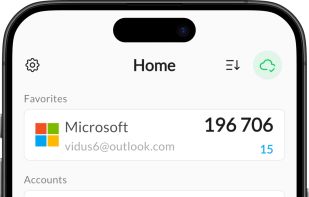
Authenticator by Vidus6 screenshot 1

Cost / License

  • Freemium (Subscription)
  • Proprietary

Platforms

  • Mac
  • Android
  • iPhone
  • iPad
1like
0comments
0articles

Features

  1.  Multiple Account support
  2.  Multi-Factor Authentication (MFA)
  3.  Dark Mode
  4.  Automatic Backup
  5.  End-to-End Encryption
  6.  Encrypted Backup
  7.  Cloud Sync
  8.  Works Offline
  9.  Biometric Authentication
  10.  Two-factor Authentication
  11.  Time-based One-time Password
  12.  Data export/import
  13.  Unlock with fingerprint

Authenticator by Vidus6 News & Activities

Highlights All activities

Recent activities

Authenticator by Vidus6 information

  • Developed by

    TR flagVidus6
  • Licensing

    Proprietary and Freemium product.
  • Pricing

    Subscription ranging between $1 and $100 per month + free version with limited functionality.
  • Alternatives

    51 alternatives listed
  • Supported Languages

    • English
    • Turkish
    • German
    • French
    • Arabic
    • Catalan; Valencian
    • Chinese
    • Croatian
    • Czech
    • Danish
    • Dutch
    • Finnish
    • Greek
    • Hebrew
    • Hindi
    • Hungarian
    • Indonesian
    • Italian
    • Japanese
    • Korean
    • Malay
    • Norwegian
    • Polish
    • Portuguese
    • Romanian
    • Russian
    • Slovak
    • Swedish
    • Spanish
    • Thai
    • Ukrainian
    • Vietnamese
Authenticator by Vidus6 was added to AlternativeTo by vidus6com on and this page was last updated . Authenticator by Vidus6 is sometimes referred to as Authenticator
No comments or reviews, maybe you want to be first?

What is Authenticator by Vidus6?

Authenticator is a two-factor authentication app for iPhone, iPad, Mac and Android. It generates time-based one-time passwords (TOTP) directly on your device, so verification codes are available instantly and work with no network connection at all.

Accounts are added by scanning a QR code, or set up manually for services that hide their secret key. Each code comes with a clear countdown timer and one-tap copy, and the vault is locked behind Face ID, Touch ID or a PIN. Search, filters, custom icons and themes keep large collections organised.

Moving from another app is straightforward: Authenticator imports an existing Google Authenticator vault, and also accepts screenshots, files and exports from other authenticator apps. A recently-deleted bin recovers entries removed by mistake.

A premium subscription adds unlimited accounts, encrypted cloud backup and automatic sync across devices. Backups are encrypted before leaving the device, so the vault stays readable only on the devices that own it.

A built-in security check highlights accounts that still lack two-factor protection or use a weak setup. Authenticator is deliberately not a password manager: it never stores usernames or passwords, and does one job only.

It works with any service that supports TOTP-based two-factor or multi-factor authentication, including Google, Microsoft, Facebook, Instagram, Amazon, X, LinkedIn, PayPal, Coinbase, Binance, Discord, Steam, Roblox, GitHub and Dropbox.

Official Links

