




Aurora PDF
Like
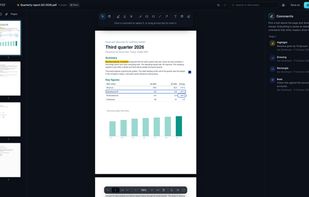
PDF reader for Windows that fills in and signs forms, adds passwords and watermarks, redacts and makes scanned pages searchable. Open source, works offline.

Cost / License
- Pay once
- Open Source (AGPL-3.0)
Platforms
- Windows


Features
Highlights All activities
Aurora PDF News & Activities
Recent activities
- Marko Veselinović added Aurora PDF
 Marko Veselinović added Aurora PDF as alternative to Adobe Acrobat Reader, PDF4QT, SumatraPDF, Okular and 3 more
Developed by
 Klarbro
 Licensing
Open Source (AGPL-3.0) and Commercial product.Pricing
One time purchase (perpetual license) that costs $15.Written in
Alternatives
7 alternatives listedBadge
Get an embeddable badge for Aurora PDFSupported Languages

AlternativeTo Category
Office & ProductivityGitHub repository
- 0 Stars
- 0 Forks
- 0 Open Issues
- Updated


No comments or reviews, maybe you want to be first?