Voicemeeter is Audio Mixer Application endowed with Virtual Audio Device used as Virtual I/O to mix and manage any audio sources from or to any audio devices or applications.



AudioCentral is described as 'MacOS Sound Control' and is a Volume Control tool in the audio & music category. There are more than 10 alternatives to AudioCentral for Mac, Windows, iPhone and iPad. The best AudioCentral alternative is VB-Audio VoiceMeeter, which is free. Other great apps like AudioCentral are Equalizer APO, FineTune, Soundflower and Wave Link.
Voicemeeter is Audio Mixer Application endowed with Virtual Audio Device used as Virtual I/O to mix and manage any audio sources from or to any audio devices or applications.


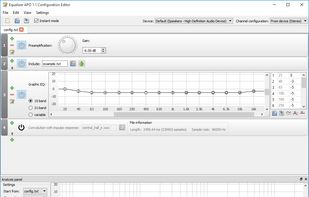
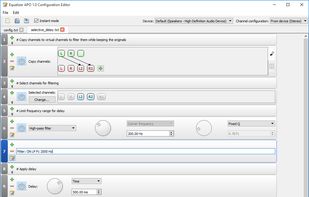
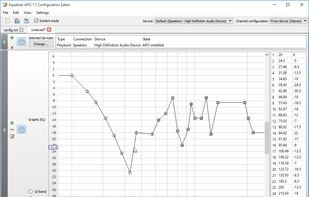
Equalizer APO is a parametric / graphic equalizer for Windows. It is implemented as an Audio Processing Object (APO) for the system effect infrastructure introduced with Windows Vista.


Menu bar utility for macOS offering per-app and per-device audio control, app routing to output devices, integrated 10-band EQ with 20 presets, real-time VU metering, volume boost up to 200 percent, quick device selection, persistent settings, and audio muting.


Soundflower is a Mac OS X system extension that allows applications to pass audio to other applications. Soundflower is easy to use, it simply presents itself as an audio device, allowing any audio application to send and receive audio with no other support needed.

Wave Link is the audio mixing software for the Elgato Wave microphones. Together with the Wave microphone, up to eight other audio sources can be mixed together and two separate outputs; a monitor mix and a stream mix are created.


MIXLINE is an audio mixing software that performs audio routing, mixing, and streaming. All bundled into a beautiful User Interface!.


Background Music is a macOS audio utility that can automatically pause your music, set individual apps' volumes, and record system audio.


Manage audio on a per-app basis, set individual volume and output devices, apply a 10-band equalizer or effects, customize headphone profiles, use Magic Boost for small speakers, adjust input or output settings rapidly, and access controls from the menu bar or floating window.


Maximize your Mac's audio output beyond default limits with a simple tool that enhances sound for movies, music, and web content. Improves Skype sessions, boosts music files, and syncs them to iPhone or iPod touch. Ideal for media enthusiasts looking to upgrade their sound experience.


Sound Control adds per-app volume and EQ controls to your Mac apps. Route your apps to different audio devices. Add volume controls to your devices.


Simple, always ready menubar app that allows you to switch quickly between available input and output devices*