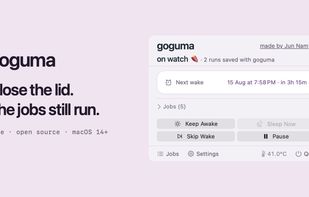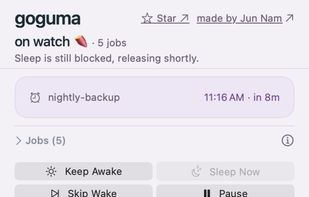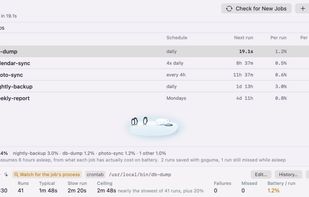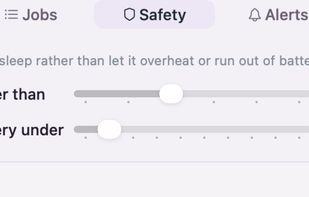
Wakes your Mac for scheduled jobs, holds it awake while long work finishes, and lets it sleep otherwise. Finds the cron jobs that have been missing runs; keeps a coding agent running with the lid shut.


AntiSleep is described as 'Keep System Awake' and is an app in the sport & health category. There are more than 25 alternatives to AntiSleep for a variety of platforms, including Mac, Windows, Android, Linux and Web-based apps. The best AntiSleep alternative is goguma app, which is both free and Open Source. Other great apps like AntiSleep are Amphetamine, Caffeine for Windows, Stimulator and Caffeine for Linux.
Wakes your Mac for scheduled jobs, holds it awake while long work finishes, and lets it sleep otherwise. Finds the cron jobs that have been missing runs; keeps a coding agent running with the lid shut.


Amphetamine is a little app that lives in your menu bar which can effortlessly override your energy saver settings and keep your Mac awake.


If you have problems with your PC locking or going to sleep, caffeine will keep it awake. It works by simulating a keypress once every 59 seconds, so your machine thinks you're still working at the keyboard, so won't lock the screen or activate the screensaver.

This is a simple app that prevents the desktop environment (DE) from sleeping while its on. It should work regardless of the used DE thanks to the Inhibit portal.


Inspired by the Mac OS X version, Caffeine for Linux is a status bar application able to temporarily prevent the activation of both the screensaver and the "sleep" powersaving mode.


PowerToys Awake is a tool for Windows designed to keep a computer awake without having to manage its power & sleep settings. This can be helpful when running time-consuming tasks, ensuring that the computer does not go to sleep or turn off its screens.


caffeinate & disablesleep replaces two macOS terminal commands: caffeinate -disu and sudo pmset -a disablesleep 1. One click keeps the Mac awake, with an option to stay awake when the lid is closed. Timed sessions run from 15 minutes to 8 hours, or forever.


Caffeine is a tiny program that puts an icon in the right side of your menu bar. Click it to prevent your Mac from automatically going to sleep, dimming the screen or starting screen savers.

One of the first webpages that used the Wake Lock API packaged in the nosleep.js script to prevent a device from sleeping.

NeverNap prevents your Mac from sleeping or activating the screensaver. For 5 minutes or indefinitely. Perfect for presentations or long processes.

Keeps your Windows PC active with scheduled mouse & keystroke simulation — respects work hours and lunch breaks, zero telemetry.


KeepOn allows you to keep your device's screen on for the desired duration and also allows you to return to the default settings automaticaly when the screen turns off.