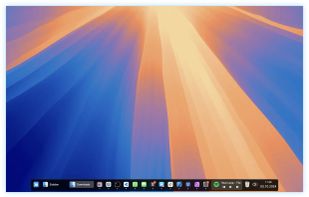
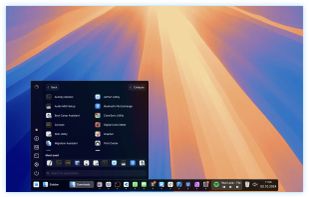
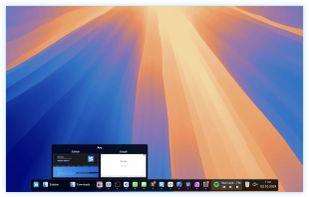
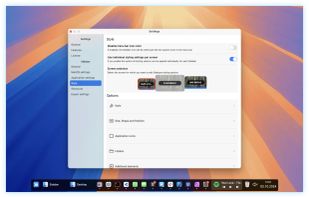
XLaunchpad gives you instant access to all your shortcuts. Arrange apps in XLaunchpad any way you like by dragging icons to different locations or by grouping apps in folders. Simply drag one icon over another to create a folder.


Another Dock is described as 'A Second Dock. Elegant, Efficient, Intuitive. Pin any file, folder, or app — and keep it always accessible in Another Dock' and is a application launcher in the os & utilities category. There are more than 25 alternatives to Another Dock for a variety of platforms, including Windows, Linux, Mac, KDE Plasma and BSD apps. The best Another Dock alternative is Docking, which is both free and Open Source. Other great apps like Another Dock are RocketDock, ObjectDock, Cairo-Dock and Winstep Nexus.
XLaunchpad gives you instant access to all your shortcuts. Arrange apps in XLaunchpad any way you like by dragging icons to different locations or by grouping apps in folders. Simply drag one icon over another to create a folder.


ActiveDock 2 is a customizable alternative to the standard macOS Dock, offering advanced features for app launching, window management, appearance customization, and more. It fully replaces the classic Apple Dock and Launchpad while preserving their familiar look and behavior...


InfyniDock is an alternative dock for macOS that provides an expanded window of open windows without collapsing them. It offers keyboard shortcuts to switch between windows and allows for customizable themes.


A simple application launcher. It is very fast and easy to use. It is unlike your common dock or menu launcher. It introduces several different features such as QWERTY based launching, tab group navigation using numbers, custom window placement for programs, and the ability to...


LaunchBar is a small Windows freeware program that mimics the behavior of the dockable QuickLaunch toolbar that was available in all Windows versions before Windows 7.

Multibar helps you organize your programs, files and folders. It allows you to find the information you need in a blink of an eye either over the internet or on your PC. It arranges all commonly used files and programs in a convenient and easy-to-use way.


Luncher is a simple Windows application and file launcher. It allows you to setup buttons that act as shortcuts to open any application, file or folder. Luncher appears as a small panel on the top of the screen that is always easily accessible.


DragThing is the original dock designed to tidy up your Macintosh desktop.
It puts all your documents, folders, and applications just a single click away. Highly flexible, it allows multiple docks, each customised to suit your exact needs.
It stores frequently-used clippings su.

Gnome Panel is a component that is part of GnomeFlashback and provides panels and default applets for the desktop. A panel is a horizontal or vertical bar that can be added to each side of the screen. By default there is one panel on the top of the screen and one on the bottom...

A modern recreation of the classic Mac OS Control Strip with loads of new features and retro-inspired themes.


The idea behind Circle Dock is that the dock should appear where your mouse is instead of you having to move your mouse to the dock like with other programs. This is accomplished by making the dock a circular or spiral shape so that it can be placed anywhere, even near the edge...