
AlterSend icon
AlterSend icon

AlterSend

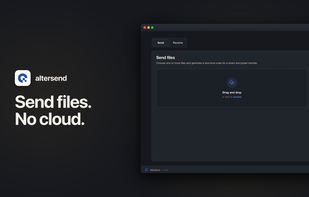
Encrypted peer-to-peer file transfers between devices with no size limits, no cloud storage, and no servers involved. Simple pairing via QR or code, supporting large files and folders across devices, all without sign-up, accounts, or personal data required.
AlterSend screenshot 1

Cost / License

Platforms

  • Mac
  • Windows
  • Linux
  • Android
  • iPhone
17likes
1comment
0articles

Features

Properties

  1.  Privacy focused
  2.  Decentralized

Features

  1.  Ad-free
  2.  No registration required
  3.  Dark Mode
  4.  No Tracking
  5.  End-to-End Encryption
  6.  Anonymous Proxy
  7.  Large File Transfer
  8.  Data transfer
  9.  Peer-To-Peer
  10.  Cross-Platform

AlterSend News & Activities

Highlights All activities

Recent activities

AlterSend information

AlternativeTo Categories

File SharingSecurity & Privacy

GitHub repository

  •  397 Stars
  •  24 Forks
  •  13 Open Issues
  •   Updated  
View on GitHub

Our users have written 1 comments and reviews about AlterSend, and it has gotten 17 likes

AlterSend was added to AlternativeTo by denislupookov on and this page was last updated .

Comments and Reviews

   
Esma Flores
1

I really like AlterSend because it makes file sharing simple and private. The peer-to-peer approach means there’s no need for cloud storage or accounts, and transferring large files between devices feels fast and effortless.

Featured in Lists

It's not fully FOSS and privacy-focused, but I'm slowly making progress

List by rainbowchecker with 36 apps, updated

What is AlterSend?

Send files directly between your devices — private, encrypted, no cloud and no size limits. AlterSend connects your phone and computer peer-to-peer and streams files straight across.

Most file-sharing apps upload your files to a server first. AlterSend doesn't. Your data goes directly from one device to the other, so it never sits on someone else's cloud. Open the app, share a code or scan a QR, and start sending.

WHY ALTERSEND

• Private by design — direct, peer-to-peer, end-to-end encrypted. Files never pass through a third-party server. • Fast & direct — send large files, folders, and long videos without waiting on slow uploads. • No size limits — share big videos and documents without compression or caps. • Cross-platform — move files between your devices: mobile and desktop. • No sign-up — no account, no email, no ads. • Simple pairing — connect with a short code or a QR scan.

HOW IT WORKS

  1. Open AlterSend on both devices.
  2. Share the join code or scan the QR code to connect.
  3. Pick your files and send — they arrive on the other device in seconds.

GREAT FOR

• Moving photos and videos between phone and computer • Sending large videos that are too big to email • Transferring documents, PDFs, and entire folders • Sharing files without cloud storage or an account • Backing up media from your phone to your Mac or PC

PRIVATE BY DEFAULT

AlterSend is built for people who care about privacy. There's no account to create and nothing to sign in to. Files transfer over an encrypted peer-to-peer connection and are never stored on our servers — because there are no servers in the middle. What you send stays between your devices.

Download AlterSend and start sending files privately — no cloud, no limits. Github: https://github.com/denislupookov/altersend

Official Links

