Advanced Recent Access Alternatives

Advanced Recent Access is described as 'Is designed to see more properties of your recent used resources (files and directories). Key features: can see more properties of the recent resources, such as path, size, type, date modified and date created. And more' and is a File Search utility in the file management category. There are more than 100 alternatives to Advanced Recent Access for a variety of platforms, including Windows, Mac, Linux, Android and iPhone apps. The best Advanced Recent Access alternative is Everything, which is free. Other great apps like Advanced Recent Access are CopyQ, Ditto, TagSpaces and Flow Launcher.

Copy a direct link to this comment to your clipboard
Advanced Recent Access alternatives page was last updated

Alternatives list

  1. Copy a direct link to this comment to your clipboard

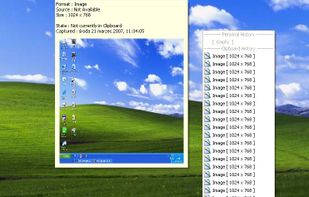
    xNeat clipboard manager is handy and very simple to use. it captures clipboard items as they are copied to the Windows Clipboard, and you can simply bring up a menu containing all the previously copied items and select the item you want to paste from it using a hot key.

    Cost / License

    • Free
    • Proprietary

    Application type

    Alerts

    • Discontinued

    Platforms

    • Windows
     
  2. grun icon
     3 likes
    Copy a direct link to this comment to your clipboard

    gRun is a GTK based Run dialog that closely resembles the Windows Run dialog, just like xexec. It has a intelligent history mechanism and a dual level fork() mechanism for launching the application in its own process.

    Cost / License

    • Free
    • Open Source

    Application type

    Alerts

    • Discontinued

    Platforms

    • Linux
     
  3. TagsForAll icon
     4 likes
    Copy a direct link to this comment to your clipboard

    An excellent solution based on tags/keywords for streamlining the access to images, documents, photos, books, multimedia content, and so on.

    Cost / License

    • Freemium
    • Proprietary

    Platforms

    • Windows
     
  4. Copy a direct link to this comment to your clipboard

    Do you need to open a folder? You can open folders everywhere from a menu of your favorite folders, including dialog boxes for opening and saving all programs.

    Cost / License

    • Paid
    • Proprietary

    Platforms

    • Windows
     
  5. Copy a direct link to this comment to your clipboard

    gnome-search-tool is a utility for finding files on your system. To perform a basic search, you can type a filename or a partial filename, with or without wildcards. To refine your search, you can apply additional search options.

    Cost / License

    • Free
    • Open Source

    Application type

    Platforms

    • Linux
    • GNOME
     
  6. Diamond icon
     3 likes
    Copy a direct link to this comment to your clipboard

    All of your files and emails at your fingertips. Diamond launches from a keyboard shortcut and allows instant, secure access to any of a user's files and emails. View a demo at https://youtu.be/uXxQszNKaqw.

    Cost / License

    • Subscription
    • Proprietary

    Application type

    Platforms

    • Mac
    • Windows
     
  7. Glipper icon
     5 likes
    Copy a direct link to this comment to your clipboard

    Clipboard manager.

    Cost / License

    • Free
    • Open Source

    Application type

    Alerts

    • Discontinued

    Platforms

    • Linux
     
  8. Clippo icon
     2 likes
    Copy a direct link to this comment to your clipboard

    Clippo is the ultimate time saver for your daily work. Share and manage clipboards between your devices with no drawbacks. Save text, links and images that you have copied to your clipboard from any app.

    Cost / License

    • Pay once
    • Proprietary

    Application type

    Platforms

    • Mac
    • iPhone
    • iPad
     
  9. ClipTray icon
     2 likes
    Copy a direct link to this comment to your clipboard

    ClipTray is a small taskbar application that maintains a history of all the Clipboard operations. Then you can recover an old or previously copied element and re-use it in your own way.

    Cost / License

    • Free
    • Open Source

    Alerts

    • Discontinued

    Platforms

    • Windows
     
  10. Safavor icon
     2 likes
    Copy a direct link to this comment to your clipboard

    Safavor is a browser independent bookmark manager which can be stored on a USB stick (or on any other storage medium) to ensure easy transport.

    Cost / License

    • Free
    • Proprietary

    Application type

    Alerts

    • Discontinued

    Platforms

    • Windows
     
  11. Punakea icon
     2 likes
    Copy a direct link to this comment to your clipboard

    Punakea is a little app that allows one to apply tags to files on one's computer. It then allows searching, browsing and manipulation of files in its tag-browser

    Cost / License

    • Free
    • Open Source

    Alerts

    • Discontinued

    Platforms

    • Mac
     
  12. Namely icon
     4 likes
    Copy a direct link to this comment to your clipboard

    Namely is possibly the fastest way to open applications. And unlike some other launchers, it doesn't require any learning.

    Cost / License

    • Free
    • Proprietary

    Alerts

    • Discontinued

    Platforms

    • Mac
     
You are at page 16 of Advanced Recent Access alternatives