Adobe Acrobat Reader Alternatives for Google Chrome

Adobe Acrobat Reader is not available for Google Chrome but there are some alternatives with similar functionality. The best Google Chrome alternative is Firefox PDF Viewer (PDF.js), which is both free and Open Source. If that doesn't suit you, our users have ranked more than 100 alternatives to Adobe Acrobat Reader and eight of them are available for Google Chrome so hopefully you can find a suitable replacement. Other interesting Google Chrome alternatives to Adobe Acrobat Reader are Xodo, Chrome PDF Viewer Plug-in, Kami and Google Scholar PDF Reader.

filter to find the best alternatives

Adobe Acrobat Reader alternatives are mainly PDF Readers, but if you're looking for PDF Editors you can filter on that. Other popular filters include Open Source, Windows, Linux, Free, Android, Windows + Open Source and PDF Editor. You can also filter by region, for example EU-based alternatives if you prefer software developed in the European Union. These are just examples - use the filter bar below to find more specific alternatives to Adobe Acrobat Reader.
Copy a direct link to this comment to your clipboard
Adobe Acrobat Reader alternatives page was last updated

Alternatives list

  1. PDF Viewer (aka pdf.js) is a new revolutionary extension using web standard technologies that allows you to display within Mozilla Firefox almost all PDF files found on the web without a plugin.

    Cost / License

    Application type

    Platforms

    • Google Chrome
    • Opera
    • Mozilla Firefox
     
    |
    5
    Firefox PDF Viewer (PDF.js) vs Adobe Acrobat Reader Comments
    Top Positive Comment
    ab1
    1

    It takes dozens of seconds to open a 20MB PDF on a mid-class smartphone.

    Top Negative Comment
    Joseph Cameron
    -1

    pdf.js cannot be used to annotate documents or fill forms.

    ulahcherubim
    Positive
    1

    pdf.js now supports annotating and filling forms.

    3 of 5 comments
    • Firefox PDF Viewer (PDF.js) is Free and Open SourceAdobe Acrobat Reader is Freemium and Proprietary
    • Firefox PDF Viewer (PDF.js) is Privacy focusedAdobe Acrobat Reader is not according to our users
  2. Xodo icon
     71 likes

    Xodo is the ultimate cross-platform PDF viewer and annotator. Powerful, fast, and optimized for all phones and tablets, Xodo makes it easy to access, edit, share, sync, manage, sign, and more.

    123 Xodo alternatives

    Cost / License

    • Paid
    • Proprietary

    Application types

    Platforms

    • Windows
    • Online
    • Android
    • iPhone
    • Chrome OS
    • Android Tablet
    • iPad
    • Google Chrome
     
    |
    5
    Xodo vs Adobe Acrobat Reader Comments
    Top Positive Comment
    Steven
    0

    It's a free pdf viewer/editior that has all the features that most people use Adobe Reader for. More stable. More secure. The interface feels cleaner to me.

    malcmerlyn
    Positive
    0

    Contrary to what has been written by guest, the app isn't totally free anymore. You should pay a subscription for several features like exporting non-watermarked PDF to your drive service

    Guest
    Positive
    -2

    Completely free, clutter-free interface, and easy to use.

    Review by a new / low-activity user.
    3 of 5 comments
    • Xodo is Paid and ProprietaryAdobe Acrobat Reader is Freemium and Proprietary
  3. In version 8, Google Chrome introduced a free PDF viewer, installed by default. While this plug-in lacks many features of the Adobe Acrobat Plug-in, it is much faster and lighter, and updates with the browser rather than an external utility.

    Cost / License

    • Free
    • Proprietary

    Application type

    Platforms

    • Mac
    • Windows
    • Linux
    • Google Chrome
     
    |
    1
    Chrome PDF Viewer Plug-in vs Adobe Acrobat Reader Comments
    Guest
    Negative
    0

    it is proprietary and I ask for open source app

    Review by a new / low-activity user.
    • Chrome PDF Viewer Plug-in is Free and ProprietaryAdobe Acrobat Reader is Freemium and Proprietary
  4. Kami icon
     17 likes

    Cloud-based PDF viewer and annotation tool for your browser. Perfect for Chromebook 1:1 schools. View, export, print and share your PDF files straight from your browser. Kami works on all browsers and works best with Google Chrome.

    86 Kami alternatives

    Cost / License

    • Freemium
    • Proprietary

    Application types

    Platforms

    • Online
    • Google Chrome
     
  5. Supercharge your paper reading: follow references, skim outline, jump to figures, cite and save.

    Cost / License

    • Free
    • Proprietary

    Application type

    Platforms

    • Google Chrome
     
  6. Genei icon
     3 likes

    AI powered productivity tool for reading, understanding and taking notes on PDFs and long websites. Users can search, summarise, extract and define keywords, ask google-search type questions and be taken straight to the answers.

    Cost / License

    • Paid
    • Proprietary

    Platforms

    • Google Chrome
    • Software as a Service (SaaS)
     
  7. Automatically previews pdfs, powerpoint presentations, and other documents in Google Docs Viewer.

    Cost / License

    • Free
    • Proprietary

    Application type

    Alerts

    • Discontinued

    Platforms

    • Mac
    • Windows
    • Linux
    • Online
    • Chrome OS
    • Google Chrome
     
  8. pdf.io icon
     1 like

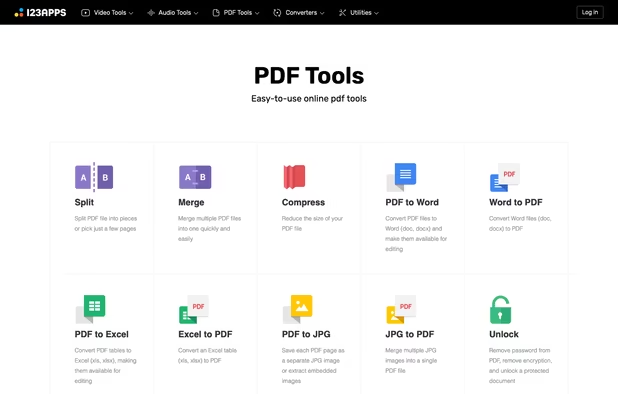
    Free set of online tools for handling PDF files. Convert and edit your PDF files with incredible ease and speed!

    Cost / License

    • Free
    • Proprietary

    Application type

    Platforms

    • Online
    • Google Chrome
    • Brave
    • Firefox
     
8 of 8 Adobe Acrobat Reader alternatives