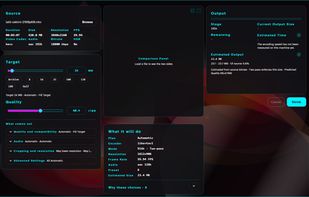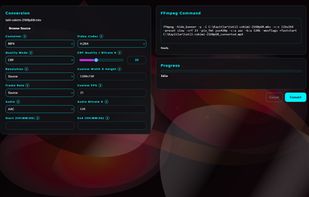
Seamlessly record your Mac's screen, microphone and camera. Edit your recordings and share them as movie or animated GIF/PNG.


Action! is described as 'Facilitates recording and streaming in HD, 4K, HDR10, and 8K. Integrates fps displays, webcams, and commentary with overlays like chatbox' and is a Screen Recorder in the video & movies category. There are more than 100 alternatives to Action! for a variety of platforms, including Windows, Mac, Web-based, Linux and iPhone apps. The best Action! alternative is OBS Studio, which is both free and Open Source. Other great apps like Action! are OpenScreen, GPU Screen Recorder, SimpleScreenRecorder and Camtasia.
Seamlessly record your Mac's screen, microphone and camera. Edit your recordings and share them as movie or animated GIF/PNG.


Any Screen Recorder can complete all the video and audio recording work for you, including gameplay, webcam, online video conference, Video lectures, online video tutorial, web seminar, online teaching, online video, online music, desktop activities, microphone, audio and any...


Vaam, video as a message, lets users create and access a shareable video in seconds, with the click of a button. It's a fun and beautiful experience where every company can have their own branding.


SCREEN2EXE is a free utility designed in order to create instant screen demos with the highest compression ratio in the world!


Amazing Free Screen Recorder provides users a super easy screen video recording solution. You can capture everything of your screen activity on computer. If you want to record desktop activities, webinars, webcam, games, Skype videos, live streaming, video instructions, website...


TouchCast Remote enables two iOS devices to sync so that you can record your TouchCast video on one iPad (running TouchCast Studio) while controlling the recording from another device like an iPhone.


BSR Screen Recorder captures video, sound, and pictures of anything you see on your screen and records to AVI (Standard Video Format), SWF (Flash File), WMV (Windows Media Video), and EXE (Executable File). Any portion of the screen can be selected for recording.


LoopingBack enables video as a message and response type for surveys, emails, stand ups, and other communications. It also uses AI to help users get from collection of information to results faster.


GameCam is an in-game recording software that captures video while you play and can capture screenshots with multiple screenshot image formats.


Stream is a recording tool for Microsoft Sharepoint users.


With PasteKit, just record then paste video, images, sound directly into your audio/video editing software. Works out-of-the-box, no extra setup needed.