


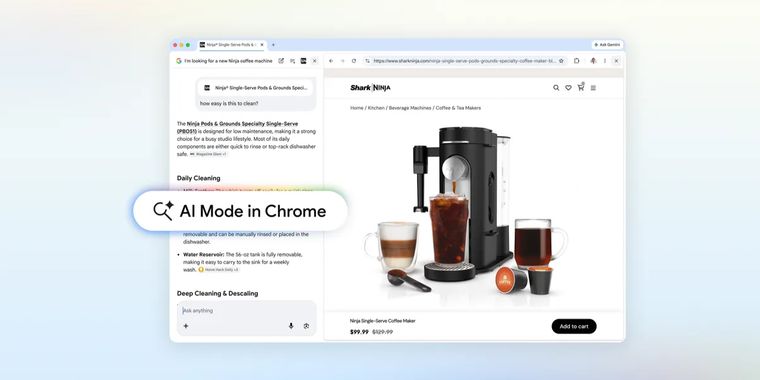

Google adds side-by-side web browsing and new cross-tab search options in Chrome's AI Mode
Google has upgraded AI Mode in Chrome, introducing side-by-side browsing for desktop users. Now, clicking a link while in AI Mode opens the target webpage alongside the AI interface. This approach lets users engage with web content, compare information, and ask further questions, all without losing their place.
Building on these changes, Chrome now allows users to search across recent tabs. Both desktop and mobile users can tap the new “plus” menu in either the search box or within AI Mode to select from recent tabs. This makes it easier to integrate multiple sources into a single search session for expanded context.
These upgrades also allow users to mix and match different input types. In addition to tabs, users can include images or files such as PDFs when conducting searches through AI Mode. Alongside these search improvements, AI-powered tools like Canvas and image creation are now reachable from any location where the “plus” menu appears in Chrome.
All of these features are available to Chrome users in the United States, with Google planning to expand access to more regions in the future.




- Web Browser
- Free
- Proprietary
Related news
External links
- Google upgrades AI Mode in the Chrome browserGoogle • Official source
- Google now lets you explore the web side-by-side with AI ModeTechCrunch
- Chrome AI Mode Adds Split-Screen Browsing and Cross-Tab Context for Search on Desktop and MobilegHacks
- Google Is Adding New Ways to Use AI Mode in ChromeCNET
- How Google's updated AI Mode will ease your tab clutter when you searchZDNET
- New Chrome upgrade brings ‘AI Mode’ split tabs to end your tab-switching fatigueChrome Unboxed
No comments so far, maybe you want to be first?