


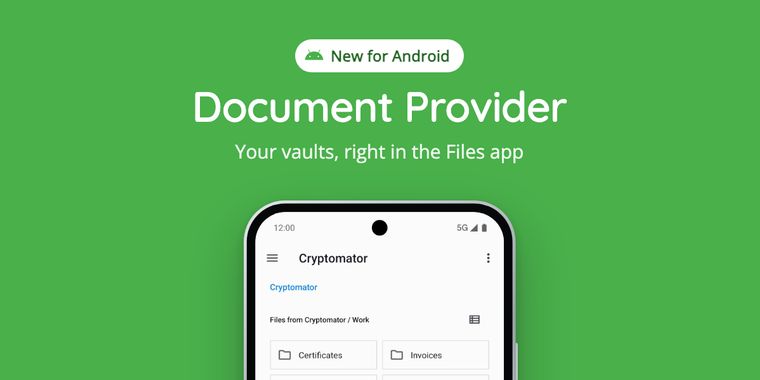

Cryptomator 3.0 brings encrypted vaults directly into Android's Files app and file picker
Cryptomator has released version 3.0 of its Android app, delivering the feature users have requested most: a system-wide document provider. With the update, encrypted vaults now appear directly in the Android Files app and the native file picker, meaning any compatible app, from note-taking tools and office suites to PDF readers and photo editors, can open, save, create, rename, move, and delete files stored in a vault as easily as working with unencrypted files. Until now, opening a vault file in another app required unlocking Cryptomator, navigating to the file, and handing it over manually, a multi-step process the new integration eliminates entirely.
The rollout brings several refinements alongside the headline feature. Each vault gets its own entry in the Files app, where locked vaults can be unlocked with a tap and images are surfaced through thumbnails, a setting also allows users to hide vaults from the Files app altogether. Saving a file from a third-party app triggers a background upload, and if the file was modified in the cloud in the meantime, Cryptomator preserves the local version as a separate conflict copy rather than overwriting changes. The update also introduces smarter auto-lock behavior: the lock timer now counts from the last vault use, including access from other apps, and a new “Wait for transfers” setting keeps vaults unlocked until pending uploads finish. The in-app browser remains in place, now sharing a cache with the Files app, so both views stay in sync, complete with image thumbnails and per-file upload progress.
As with all previous versions, security remains anchored in client-side encryption: files are encrypted on the device before ever reaching cloud providers such as Dropbox, Google Drive, or OneDrive. Cryptomator for Android 3.0 is rolling out now via Google Play, the project's website, and F-Droid, and the update is free for existing users. Notably, the document provider is included in the free tier as well, albeit read-only; full write access requires a paid upgrade.



- File Encryption Software
- Freemium
- Open Source
Related news
External links
- The Document Provider for Android Is HereCryptomator • Official source
No comments so far, maybe you want to be first?