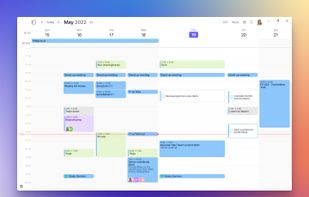
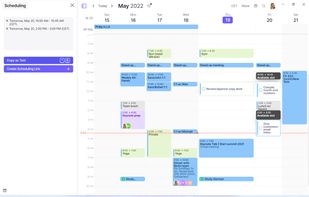
Cross-platform calendar with CalDAV support and scheduling features. More of a planning tool than a quick glance.
Cost / License
- Paid
- Proprietary
Application types
Platforms
- Mac
- Windows
- Linux
- Android
- iPhone


If you live on an iPhone but work on a Windows PC, your iCloud calendar doesn't come along for the ride. Windows has no native iCloud integration, and the calendars someone else shared with you — a partner, a family, a team — are the part that most often goes missing entirely. These are the options I've found, from Apple's own bridge to third-party clients. Disclosure: one of them is mine, and I've said so on its entry.
Cross-platform calendar with CalDAV support and scheduling features. More of a planning tool than a quick glance.


Windows app that aggregates several calendar accounts. Worth checking whether its iCloud support covers shared calendars for your setup.


Full desktop mail and calendar client with iCloud support. Free for personal use with account limits.


A Windows 11 system tray app: click the taskbar icon and a flyout opens with your month and your events. Reads iCloud over CalDAV, including calendars shared with you by someone else, plus Google, Outlook and ICS feeds in the same view. Subscription with a free trial. Disclosure: I'm the developer.


Free and open source. Connects to iCloud over CalDAV using an app-specific password, so it isn't limited to your own calendars. It's an email client first, so it's a heavy tool if all you want is a calendar.


The destination for Apple's bridge above. Full desktop client, not a lightweight way to glance at your day.


Apple's official Windows app. Syncs iCloud calendars into Outlook via a plugin. Free, and the most obvious starting point, but it depends on having Outlook installed and shared calendars are where it tends to fall short.


There's no single right answer here. If you already run Outlook, Apple's own iCloud for Windows is the cheapest path. If you want something open source, Thunderbird over CalDAV works. If what you actually want is to click the clock and see your week — including the calendars other people share with you — that's the gap the tray apps fill.