• Windows Computer Management icon
  • Paragon Partition Manager icon
  • MiniTool Partition Wizard icon
  • GParted icon
  • EaseUS Partition Master icon
  • +2

Partition Manager

Shoji VRShoji VR7 appsUpdated
Copy a direct link to this comment to your clipboard
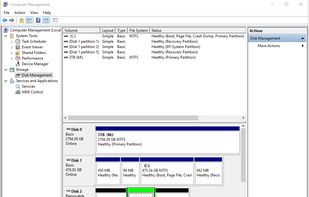
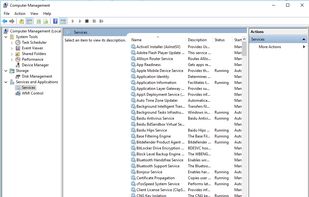
  1. "Windows Computer Management" or just "Computer Management" has various features for Windows like Windows Disk Management icon Windows Disk Management, Service control, Device Manager, WMI Control, Performance Monitoring, Event Viewer and...

    Cost / License

    • Free
    • Proprietary

    Application type

    Platforms

    • Windows
    Partition Manager
    Services
    Shoji VRShoji VR’s note

    Built-in tool is free for the users, Won’t require reboot, Graphical interface

  2. Reliable partitioning tool to create, resize, copy, and format partitions. Advanced features include merging and redistributing space with no data loss.

    Cost / License

    • Free Personal
    • Proprietary

    Application type

    Platforms

    • Windows
    Paragon Partition Manager screenshot 1
    Paragon Partition Manager screenshot 1
    Paragon Partition Manager screenshot 2
    Shoji VRShoji VR’s note
    • Conversion of dynamic disks to basic disks only with PRO-Edition.
    • Bulk action not supported
  3. Manage partitions with MBR/GPT conversion, NTFS/FAT32 support, and robust data recovery on 32/64 bit Windows. Free Edition available for users.

    Cost / License

    • Freemium
    • Proprietary

    Application type

    Platforms

    • Windows
    Home Window
    Main Window
    Right Click on a Disk
    +13
    Right Click on a Partition
    Shoji VRShoji VR’s note

    Free Edition cannot resize dynamic partitions.

  4. GParted icon
     Like

    Manage partitions with ease, supporting resizing, moving, and copying. Utilize GParted Live for cross-platform use on x86 machines.

    Cost / License

    • Free
    • Open Source

    Application type

    Platforms

    • Linux
    GParted screenshot 1
    GParted screenshot 1
    GParted Live boot menu.
    +2
    GParted screenshot 3
    Shoji VRShoji VR’s note
    • Most Popular Open Source Partition Manager Apps, No Limitation on manage partitions,
    • Need GParted Live to Boot from other operating systems because GParted is developed on GNU/Linux
  5. Best Tool to Simplify Your PC Disk Management.

    Cost / License

    • Freemium
    • Proprietary

    Application type

    Platforms

    • Windows
    EaseUS Partition Master screenshot 1
    EaseUS Partition Master screenshot 1
    EaseUS Partition Master screenshot 2
    +6
    EaseUS Partition Master screenshot 3
    Shoji VRShoji VR’s note
    • One of best partition manager with bulk action
    • The free “Home Edition” cannot convert dynamic disk to basic disk and resize dynamic disks,
    • Bundleware
  6. Safely manage disk partitions, resize, merge, split or copy drives, allocate space, and solve low disk space issues with sector-level data protection technology.

    Cost / License

    • Freemium
    • Proprietary

    Application type

    Platforms

    • Windows
    Main Window
    Right Click on a Partition
    Create Partition
    +8
    Move and Resize Partition
    Shoji VRShoji VR’s note

    Convert GPT to MBR cause BSOD

  7. You may create, delete, format and name partitions on your computer without shutting down the system. Portable partition utility: you can just copy the installed files and run. With the portable version you cannot resize a partition.

    Cost / License

    • Free
    • Proprietary

    Application type

    Platforms

    • Windows
    Active@ Partition Manager screenshot 1
    Active@ Partition Manager screenshot 1
    Active@ Partition Manager screenshot 2
    +9
    Active@ Partition Manager screenshot 3
    Shoji VRShoji VR’s note
    • Can’t downsize locked volumes (e.g. the system volume)
    • Unable to copy partitions
    • Will crash when extending a locked volume

No comments so far, maybe you want to be first?