• Mozilla Firefox icon
  • Kiwi Browser icon
  • Microsoft Edge icon
  • Soul Browser icon
  • Vivaldi icon

Browsers

Ben KumarBen Kumar5 appsUpdated
Copy a direct link to this comment to your clipboard

A comprehensive list of android apps that I personally recommend with few alternatives that are worth mentioning.

  1. Open-source browser with Gecko engine, supporting HTML add-ons and providing privacy features like Enhanced Tracking Protection and third-party cookie blocking.

    Cost / License

    • Free
    • Open Source

    Application type

    Platforms

    • Mac
    • Windows
    • Linux
    • Android
    • iPhone
    • Android Tablet
    • BSD
    • HUAWEI AppGallery
    • iPad
    • AppImageHub
    • Snapcraft
    • Linux Mobile
    • Flathub
    • Samsung Galaxy Store
    • PortableApps.com
    • Haiku
    • Flatpak
    • Homebrew
    • Chocolatey
    • Gecko
    • F-Droid
    More protection from the start
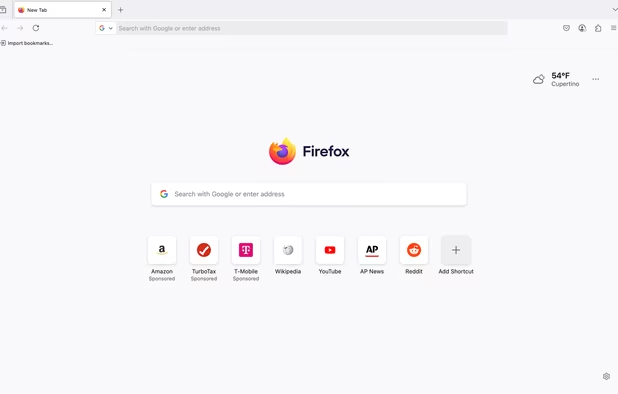
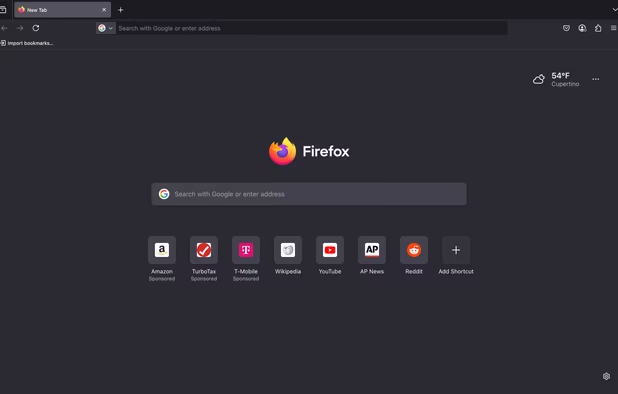
    Firefox Desktop (Light Theme)
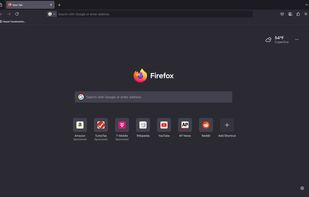
    Firefox Desktop (Dark Theme)
    +8
    Firefox iOS (Light Theme)
    Ben KumarBen Kumar’s note

    A powerful browser by a browser company that allows extensions natively. Its firefox, it does what you want it to do.

  2. Kiwi Browser is made to read news, watch videos, movie trailers, listen to music, without annoyances.

    Cost / License

    • Free
    • Open Source

    Application type

    Platforms

    • Android
    • Android Tablet
    Kiwi Browser screenshot 1
    Kiwi Browser screenshot 2
    Kiwi Browser screenshot 3
    Ben KumarBen Kumar’s note

    A powerful and highly customizable "Chrome" browser. Supports full screen for immersive reading, dark mode natively for web contents and extensions. Too much of tweaking can slow down your experience though.

  3. Chromium-based browser for Windows, macOS, Linux, iOS, and Android, offering extension support, privacy features, smart security, and cloud sync across devices.

    Cost / License

    • Free
    • Proprietary

    Application type

    Platforms

    • Mac
    • Windows
    • Linux
    • Android
    • iPhone
    • Android Tablet
    • HUAWEI AppGallery
    • iPad
    • Flathub
    • Samsung Galaxy Store
    • Xbox
    • Chocolatey
    Microsoft Edge screenshot 1
    Microsoft Edge screenshot 1
    Microsoft Edge screenshot 2
    +1
    Microsoft Edge screenshot 3
    Ben KumarBen Kumar’s note

    Microsoft's Browser is the best on Windows and is slightly behind on Android. But it is smooth and user friendly and syncs well with the windows version. Lacks bottom address bar and a more granular control of adblockers.

  4. A fast and clean web browser for Android.

    Cost / License

    • Freemium
    • Proprietary

    Application type

    Platforms

    • Android
    Soul Browser screenshot 1
    Soul Browser screenshot 2
    Soul Browser screenshot 3
    Ben KumarBen Kumar’s note

    Soul browser is a highly customizable browser with many features including extensions support, adblockers, amoled dark mode and full screen mode.

  5. Vivaldi icon
     Like

    Highly customizable browser with built-in ad and tracker blockers, Chromium compatibility, advanced tab management, cross-device sync, and strong privacy features.

    Cost / License

    • Free
    • Proprietary

    Application type

    Platforms

    • Mac
    • Windows
    • Linux
    • Android
    • iPhone
    • Android Tablet
    • HUAWEI AppGallery
    • iPad
    • openSUSE
    • Snapcraft
    • Android Auto
    • Flathub
    • Samsung Galaxy Store
    • Fedora
    • Ubuntu
    • Debian
    Vivaldi screenshot 1
    Vivaldi screenshot 1
    Vivaldi screenshot 2
    +42
    Vivaldi screenshot 3
    Ben KumarBen Kumar’s note

    Key features that made me make Vivaldi the primary Android browser are Dark Mode for web contents, Adblocker with filter lists, Bottom Adress bar, Cloud Sync, Dynamic themes that adapt to the website and notepad.

No comments so far, maybe you want to be first?