Android Recommendations

Android is a highly secure operating system with full verified boot, strong sandboxing, a permission control system, modern exploit mitigations, and more.

Google Pixel phones are the only secure phones as they fully support verified boot, use the custom Titan M2 chip, use the Trusty TEE OS, and can effectively randomize the device's MAC address. There is a reason why GrapheneOS only supports Google Pixel phones. Do not even think about buying a different phone. All other phones are a security nightmare and should be avoided at all costs!

Reading Material: https://source.android.com/security/features https://source.android.com/security/verifiedboot/ https://security.googleblog.com/2021/10/pixel-6-setting-new-standard-for-mobile.html https://source.android.com/docs/security/features/trusty#whyTrusty https://android-developers.googleblog.com/2017/04/changes-to-device-identifiers-in.html https://madaidans-insecurities.github.io/android.html

Re
RemovedUserList by RemovedUser, last updated 
Copy a direct link to this comment to your clipboard
  1. Android Operating Systems

    Most custom operating systems substantially weaken the Android security model. Never leave your bootloader unlocked and do not root your device. If your phone does not support GrapheneOS, use the stock operating system.

    Reading Material: https://privsec.dev/os/choosing-your-android-based-operating-system/ https://www.privacyguides.org/android/ https://madaidans-insecurities.github.io/android.html#custom-roms

  2. GrapheneOS is a privacy and security focused mobile OS with Android app compatibility developed as a non-profit open source project. It's focused on the research and development of privacy and security technology including substantial improvements to sandboxing, exploit...

    Cost / License

    • Free
    • Open Source

    Application types

    Platforms

    • Android
    • Android Tablet
    GrapheneOS screenshot 1
    GrapheneOS screenshot 1
    GrapheneOS screenshot 2
  3. Android icon
     Like

    Open-source mobile operating system, seamlessly integrating with Google services, enabling extensive app support and hardware compatibility across brands.

    Cost / License

    • Free
    • Open Source

    Application types

    Platforms

    • Android
    • Android Tablet
    • Android Auto
    • Android SDK
    • Android Wear
    • Android TV
    Android screenshot 1
    Android screenshot 1
    Android screenshot 2
    +1
    Android screenshot 3
  4. App Stores

    You should never use F-Droid as it substantially weakens the Android security model. Most people should only install apps from the Google Play Store. If your threat model requires not logging into Google, you can use the Aurora Store but must understand the risks of using third-party app stores. Source: https://wonderfall.dev/fdroid-issues/

  5. Official Android marketplace for apps, games, books, movies, and more accessible via Android devices and web browsers with user reviews for each item.

    Cost / License

    • Free
    • Proprietary

    Platforms

    • Online
    • Android
    • Chrome OS
    • Android Tablet
    Google Play Store screenshot 1
    Google Play Store screenshot 1
    Google Play Store screenshot 2
    +1
    Google Play Store screenshot 3
  6. Browsers

    Use Chromium browsers only. Firefox on Android still does not support site isolation. You should access most websites including YouTube, Twitter, and Reddit inside the browser instead of their apps since websites in a browser are much less privileged than an app.

    GrapheneOS users should just use Vanadium. For stock Android users, use one of the browsers listed below. Mulch was considered as it is a hardened fork of Chromium with timely updates, but is not listed here as it is not available on the Google Play Store but F-Droid.

    Reading Material: https://grapheneos.org/usage#web-browsing

  7. Web browser built on an open-source platform featuring multiple account support, integrated password manager, dark mode, real-time translation, and seamless cross-device syncing.

    Cost / License

    • Free
    • Proprietary

    Application type

    Platforms

    • Mac
    • Windows
    • Linux
    • Android
    • iPhone
    • Chrome OS
    • Android Tablet
    • iPad
    • Flathub
    • PortableApps.com
    Main Window
    Settings
    Incognito Mode
    +8
    Main View (Android)
  8. Messaging Apps

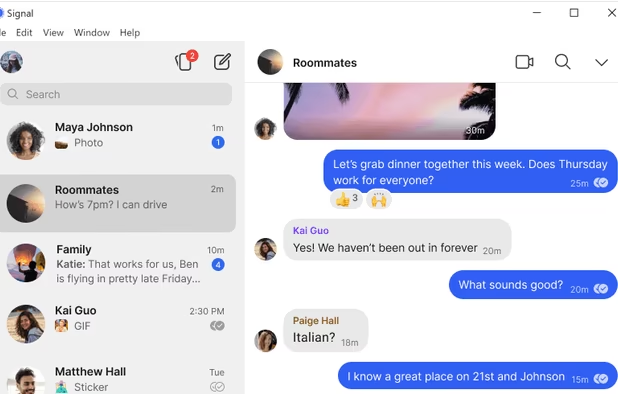
    If possible, convince your family and friends to use Signal as it uses end-to-end encryption by default, can hide metadata, has a good track record, and is recommended by many security researchers. Otherwise, use Google Messages.

  9. Signal icon
     Like

    An encrypted messaging app focused on privacy, supporting texts, calls, photos, videos, files, and group chats, with no ads or trackers.

    Cost / License

    • Free
    • Open Source

    Platforms

    • Mac
    • Windows
    • Linux
    • Android
    • iPhone
    • iPad
    • Flathub
    • Ubuntu
    • Debian
    • Snapcraft
    Signal screenshot 1
    Signal screenshot 1
    Signal screenshot 2
    +4
    Signal screenshot 3
  10. Messages is Google's communications app for Android icon Android to helps send and receive SMS and MMS messages. You can also send group texts as well as your favorite pictures, videos and even audio messages to your contacts.

    Cost / License

    • Free
    • Proprietary

    Application type

    Platforms

    • Online
    • Android
    • Chrome OS
    • Android Tablet
    • Android Wear
    Google Messages screenshot 1
    Google Messages screenshot 2
    Google Messages screenshot 3
  11. Security and Privacy

  12. Swiss-based VPN that ensures online privacy with a high-speed network, advanced encryption, and no-logs policy, offering a free version. Supports multiple platforms and unblocks content worldwide.

    Cost / License

    • Freemium
    • Open Source

    Application types

    Platforms

    • Mac
    • Windows
    • Linux
    • Android
    • iPhone
    • Chrome OS
    • Android Tablet
    • iPad
    • Google Chrome
    • Apple TV
    • Flathub
    • F-Droid
    • Android TV
    • Flatpak
    • Fire TV
    • Mozilla Firefox
    Proton VPN screenshot 1
    Proton VPN on Fedora
    Proton VPN screenshot 2
    +6
    Proton VPN screenshot 3
  13. Shelter icon
     Like

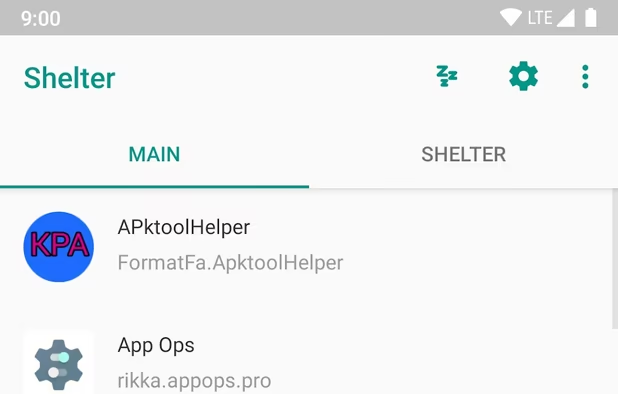
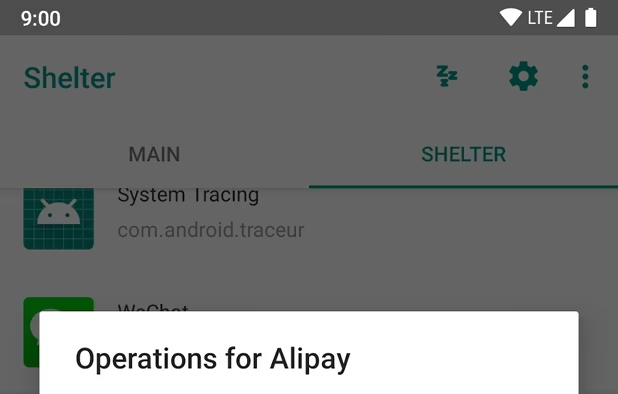
    Shelter is a Free and Open-Source (FOSS) app that leverages the “Work Profile” feature of Android to provide an isolated space that you can install or clone apps into.

    Cost / License

    • Free
    • Open Source

    Application type

    Platforms

    • Android
    • Android Tablet
    • F-Droid
    Shelter screenshot 1
    Shelter screenshot 2
  14. Auditor is an app which leverages hardware security features to provide device integrity monitoring for supported devices. Currently, it only works with GrapheneOS and the device's stock operating system.

    Cost / License

    • Free
    • Open Source

    Platforms

    • Android
    GrapheneOS Auditor screenshot 1
    GrapheneOS Auditor screenshot 2
    GrapheneOS Auditor screenshot 3
  15. Other Apps

    Use stock apps when possible as installing third-party apps gives you another party to trust and increases attack surface. Unless the app is something you need (such as WhatsApp), only install third-party apps either if there is no stock app replacement or if the stock app can be uninstalled from the system. Choose apps that require as few permissions as possible.

  16. Feeder is a fully free/libre feed reader. It supports all common feed formats, including JSONFeed. It doesn't track you. It doesn't require any setup. It doesn't even need you to create an account!

    Cost / License

    • Free
    • Open Source

    Application types

    Platforms

    • Android
    • Android Tablet
    • F-Droid
    Feeder RSS feed reader screenshot 1
    Feeder RSS feed reader screenshot 2
    Feeder RSS feed reader screenshot 3
  17. Notally icon
     Like

    A minimalistic notes app. Notally it's extremely light, minimalistic and elegant. There are minimal dependencies and lines of code. (All without compromising on readability).

    Cost / License

    • Free
    • Open Source

    Platforms

    • Android
    • Android Tablet
    • F-Droid
    Notally screenshot 1
    Notally screenshot 2
    Notally screenshot 3
  18. Privacy-focused GPS app with offline maps and community development, featuring real-time navigation, no location tracking, and open-source software.

    Cost / License

    • Free
    • Open Source

    Platforms

    • Linux
    • Android
    • iPhone
    • Android Tablet
    • HUAWEI AppGallery
    • iPad
    • OpenStreetMap
    • Flathub
    • F-Droid
    Organic Maps screenshot 1
    Organic Maps screenshot 2
    Organic Maps screenshot 3
  19. This is a modern camera app focused on privacy and security. It includes modes for capturing images, videos and QR / barcode scanning along with additional modes based on CameraX vendor extensions (Portrait, HDR, Night Sight, Face Retouch and Auto) on devices where they're...

    Cost / License

    • Free
    • Open Source

    Application type

    Platforms

    • Android
    Secure Camera screenshot 1
    Secure Camera screenshot 2
    Secure Camera screenshot 3
  20. Simple Android PDF viewer based on pdf.js and content providers. The app doesn't require any permissions.

    Cost / License

    • Free
    • Open Source

    Application type

    Platforms

    • Android
    Secure PDF Viewer screenshot 1
    Secure PDF Viewer screenshot 2
    Secure PDF Viewer screenshot 3

Reading Material: https://source.android.com/security https://privsec.dev/os/android-tips/ https://www.privacyguides.org/android/overview/ https://madaidans-insecurities.github.io/android.html https://github.com/beerisgood/Smartphone_Security

Comments

Darlene Sonalder
0

Replace Chrome with brave or bromite (or Vanadium on GrapheneOS) and the PlayStore with AuroraStore for better UX and privacy

1 reply
RemovedUser

Aurora Store lacks important security features including certificate pinning, still requires the legacy store permission, among other security issues.

Bromite is much slower to update than other browsers.

Sources: https://gitlab.com/AuroraOSS/AuroraStore/-/blob/26f5d4fd558263a89baee4c3cbe1d220913da104/app/src/main/AndroidManifest.xml#L28-32 https://gitlab.com/AuroraOSS/AuroraStore/-/issues/697 https://privsec.dev/os/android-tips/#aurora-store https://divestos.org/misc/ch-dates.txt

Gu