• Apple Calendar icon
  • Apple Reminders icon
  • Overdo icon
  • Deadlines icon
  • Todoist icon
  • +2

My productivity system

Jacob Sierra DíazJacob Sierra Díaz7 appsUpdated
Copy a direct link to this comment to your clipboard

This is the list of apps that I use to control the task and to be productive. It is mainly based on the software designed by Apple plus some alternatives apps for specific works and projects.

Main apps

This is the list of four apps that I use daily to manage my tasks, activities, keynotes, deadlines, projects, priorities, personal objectives

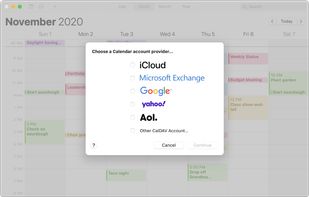
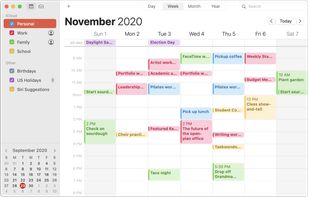
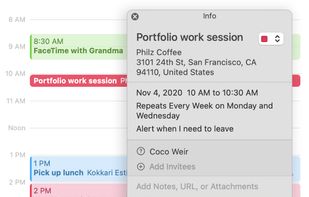
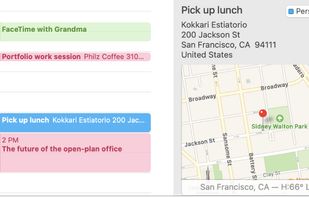
  1. Keep track of your busy schedule and share it with others using Calendar. Create separate calendars — one for home, another for school, a third for work, and so on. See all your calendars in a single window or choose to see only the calendars you want.

    Cost / License

    • Free
    • Proprietary

    Application type

    Platforms

    • Mac
    • iPhone
    • iPad
    • iCloud
    Apple Calendar screenshot 1
    Apple Calendar screenshot 1
    Apple Calendar screenshot 2
    +1
    Apple Calendar screenshot 3
    Jacob Sierra DíazJacob Sierra Díaz’s note

    ()This is the first step in my system of productivity. Everything that needs my attention goes here; from events, deadlines, arrangements to personal objectives.

  2. Reminders makes it easier than ever to remember the things you need to do. You can use it for all of life's to-dos, including grocery lists, projects at work, or anything else you want to track. And with iCloud, it's easy to keep all your devices in sync, so you’ll...

    Cost / License

    • Free
    • Proprietary

    Application type

    Platforms

    • Mac
    • Online
    • iPhone
    • iPad
    • Apple Watch
    Apple Reminders screenshot 1
    Apple Reminders screenshot 1
    Apple Reminders screenshot 2
    +1
    Apple Reminders screenshot 3
    Jacob Sierra DíazJacob Sierra Díaz’s note

    (2) Next, I consider the priorities and urgencies of the task included in the calendar, planning my reminders weekly. Here I prioritize the events, deadlines, arrangements or objectives using five levels or importance.

  3. Overdo icon
     Like

    Enjoy creating deadlines using free-from text input and intuitive design. Deadlines are sync'd across all your Macs, so you'll never have to worry about missing somethings. New features are coming as we keep working on it!

    Cost / License

    • Free
    • Proprietary

    Platforms

    • Mac
    Overdo screenshot 1
    Jacob Sierra DíazJacob Sierra Díaz’s note

    (3) In addition, I use both Overdo (MacOS) or Deadlines (online) to visualize the time left for finishing an activity. Normally, I use Overdo for my exams or important deadlines related to work.

  4. Deadlines icon
     Like

    Deadlines is a calendar app with a focus on long-running tasks and events such as assignments, development milestones, hackathons and game jams. These kinds of events and tasks can easily become cluttered or hard to read in more traditional calendar layouts.

    Cost / License

    • Free
    • Proprietary

    Platforms

    • Online
    Deadlines screenshot 1
    Deadlines screenshot 1
    Jacob Sierra DíazJacob Sierra Díaz’s note

    (4) In addition, I use both Deadlines (online) or Overdo (MacOS) to visualize the time left for completing an activity. Although this is crucial for my deadlines, I also use it for counting the days left of events.

Supporting apps - Secondary

In addition, I sometimes used the following apps to complement my system of productivity. Specially I use them for special projects or team objectives at work.

  1. Todoist icon
     Like

    Manages tasks across all platforms with advanced language recognition. It integrates with 60+ tools, and offers templates for various projects.

    Cost / License

    • Freemium
    • Proprietary

    Application type

    Platforms

    • Mac
    • Windows
    • Linux
    • Online
    • Android
    • iPhone
    • Chrome OS
    • Android Tablet
    • iPad
    • AppImageHub
    • Apple Watch
    • Snapcraft
    • Google Chrome
    • Flathub
    • Microsoft Outlook
    • Android Wear
    • Safari
    • Gmail
    • Mozilla Firefox
    Todoist screenshot 1
    Todoist screenshot 1
    Todoist screenshot 2
    +4
    Todoist screenshot 3
    Jacob Sierra DíazJacob Sierra Díaz’s note

    Todoist is a wonderful app to manage tasks, objectives and projects. This was the app that I use for issues related to my work (specially complex projects that I divided into small tasks).

  2. JIRA icon
     Like

    Centralized platform to plan tasks, align with goals, visualize workflows, and get insights through real-time data, enhancing team collaboration.

    Cost / License

    • Freemium
    • Proprietary

    Application type

    Platforms

    • Mac
    • Windows
    • Linux
    • Online
    • Software as a Service (SaaS)
    JIRA screenshot 1
    JIRA screenshot 1
    JIRA screenshot 2
    +2
    JIRA screenshot 3
    Jacob Sierra DíazJacob Sierra Díaz’s note

    Jira is for me the perfect software to control and manage a whole group of people doing the same project.

  3. Enables you to take your square Post-it® Notes from the analog world to the digital, seamlessly and easily.

    Cost / License

    • Free
    • Proprietary

    Application type

    Platforms

    • Windows
    Post-it® App screenshot 1
    Post-it® App on Android
    Post-it® App on iOS
    +3
    Post-it® App screenshot 3
    Jacob Sierra DíazJacob Sierra Díaz’s note

    Sometimes I write memos in this wonderful app.

No comments so far, maybe you want to be first?