A must have list for the general public

JustanotherMalaysian
JustanotherMalaysianList by JustanotherMalaysian, last updated 
Copy a direct link to this comment to your clipboard
  1. Vivaldi icon
     Like

    Vivaldi is the best alternative to Chrome. This is especially good if you are looking for a browser running on Google's Chromium Engine. It is very customisable, has a lot (and I actually mean a lot) of innovative features that basically almost rids the need of getting extensions (note that 'almost'). Vivaldi also respects your privacy and the community is great (the devs actually listen to the people, ehem Firefox with them unwanted features)

    Cost / License

    • Free
    • Proprietary

    Application types

    Platforms

    • Mac
    • Windows
    • Linux
    • Android
    • iPhone
    • Android Tablet
    • iPad
    • Snapcraft
    • Android Auto
    • Flathub
    • HUAWEI AppGallery
    • Samsung Galaxy Store
    The only web browser powerful enough for you!
    Vivaldi on desktop Welcome screen
    Vivaldi on desktop Speed Dial
    +38

    Vivaldi v7.0 on desktop
Dashboard
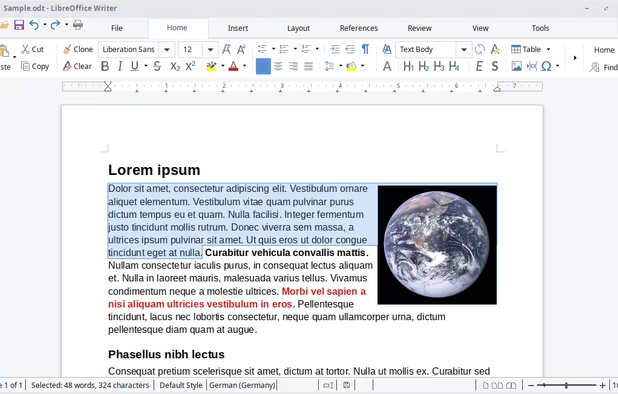
  2. Looking for an alternative for Microsoft Office? Then look no further than LibreOffice. Which is 100% free, open-source, and has a lot of features that Microsoft Office has. It also runs faster. The only con of it is that it is completely offline. But then, it wouldn't have been free if they had servers to manage right? Thank The Document Foundation for this absolute powerhouse.

    Cost / License

    • Free
    • Open Source

    Platforms

    • Mac
    • Windows
    • Linux
    • Android
    • BSD
    • Snapcraft
    • Flathub
    • PortableApps.com
    • F-Droid
    • Flatpak
    LibreOffice Writer on Linux
    LibreOffice Calc on Linux
    Main menu (old version)
    +8
    LibreOffice Writer on Windows 7
  3. BleachBit icon
     Like

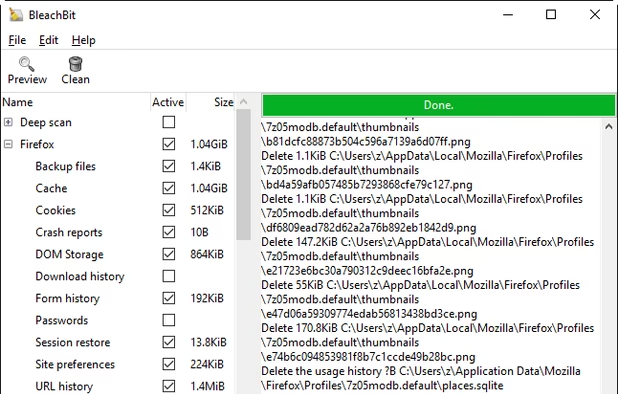
    Forget CCleaner. Bleachbit is the way to go. This is the perfect software to use to clean junk on your computer. Not only is it completely free, it has no ads as well. It's simple:

    1. Choose what you want to be cleaned
    2. Clean Boom! Job done. Bleachbit just does its job. No Bundleware. No BS

    Cost / License

    • Free
    • Open Source

    Platforms

    • Mac
    • Windows
    • Linux
    • Blackberry
    • PortableApps.com
    • Flathub
    BleachBit 1.9.3 on Windows 10 showing Firefox preview
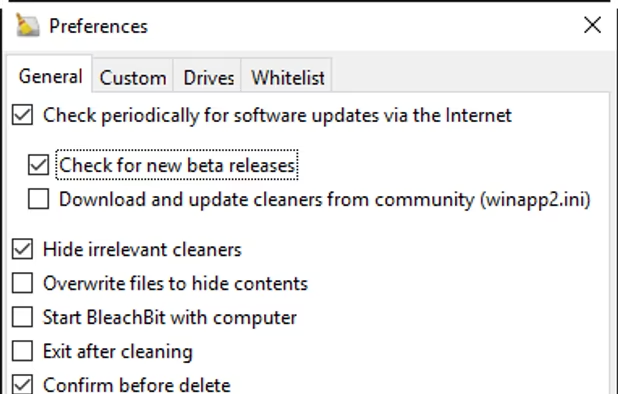
    BleachBit 1.9.3 on Windows 10 showing the Preferences dialog
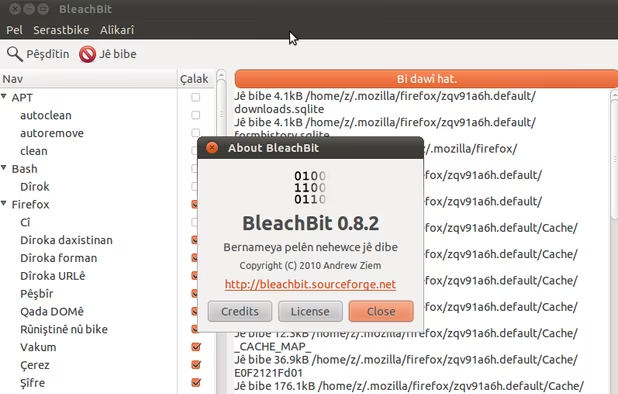
    BleachBit 0.8.2 on Ubuntu 10.10 (Kurdish translation)
  4. Z-Library icon
     Like

    This is the largest free e-book library on the internet (probably). Every e-book on this website is free and it is especially helpful for students who need their book as a pdf. There's an .onion site for this library in case you can't access your specified book on it.

    Cost / License

    • Freemium
    • Proprietary

    Application type

    Platforms

    • Mac
    • Windows
    • Linux
    • Online
    • Android
    • Telegram
    • Tor
    • I2P
    • Mozilla Firefox
    Z-Library screenshot 1
    Z-Library screenshot 1
    Z-Library screenshot 2
    +1
    Z-Library screenshot 3
  5. Paint.NET icon
     Like

    I don't use it often. But if I need to do some kind of illustration or image (being the simple man I am), I will go to this. It is not resource-hungry, so it'll work on most low-end systems (I'm talking most because I bet some of you out there still use some of you still use those 2000s notebooks with only 1GB or max 2GB of RAM and a dying Intel mobile processor)

    Cost / License

    • Free
    • Proprietary

    Platforms

    • Windows
    • .NET Framework
    Paint.NET screenshot 1
  6. I am not a streamer, nor a full-time youtuber (wink). But when the time comes when you need to record something on your screen, then you can use OBS Studio. It is not very resource-hungry (you can change the settings yourself if it is too much). It is also 100% free. The only con though is that its a little bit complicated and you'll probably need to watch tutorials on how to use it initially.

    Cost / License

    • Free
    • Open Source

    Platforms

    • Mac
    • Windows
    • Linux
    • BSD
    • Snapcraft
    • Flathub
    • PortableApps.com
    • Steam
    • FreeBSD
    OBS Studio screenshot 1
    OBS Studio screenshot 1
    OBS Studio screenshot 2
    +8
    OBS Studio screenshot 3

A Must-Have list doesn't have to be very long. Here are just some apps/websites that I think you should absolutely use and install on your device as they can prove extremely useful and can affect your daily lives for the better (I mean, imagine having a lot of software that you don't use, ehem ehem me).

Comments

JustanotherMalaysian
0

If you have any software recommendation to add to this list, then comment! :) I'm open to recommendations

Gu