• Evince icon
  • Okular icon
  • Xournal++ icon
  • MuPDF icon
  • Ghostscript icon
  • +7

PDF

Francisco Ferioli MarcoFrancisco Ferioli Marco12 appsUpdated
Copy a direct link to this comment to your clipboard

Open source programs which can annotate PDFs. If you are a student or an academic, this is the best way to switch from paper documents to digital documents!!! Then you can waste less paper and save more trees!!!

  1. Evince icon
     Like

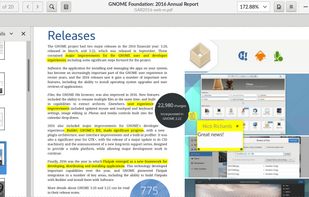
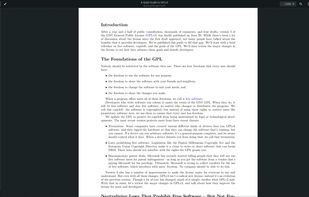
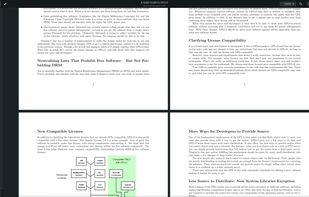
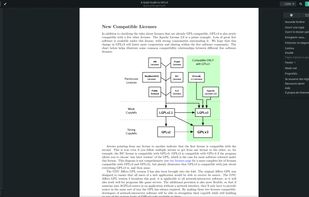
    Displays PDF, Postscript, DjVu, comic books, TIFF, DVI, XPS formats, supports editing PDF annotations, remembers individual zoom and position settings, includes search.

    Cost / License

    • Free
    • Open Source

    Application type

    Platforms

    • Linux
    • Flathub
    • PortableApps.com
    • GNOME
    Evince screenshot 1
    Evince screenshot 1
    Evince screenshot 2
    +3
    Evince screenshot 3
    Francisco Ferioli MarcoFrancisco Ferioli Marco’s note

    Easy installation: yes.

  2. Okular icon
     Like

    Multi-platform document viewer supporting PDF, EPUB, comics and images with annotation tools, sidebar navigation, signature verification, and text-to-speech.

    Cost / License

    • Free
    • Open Source

    Application type

    Platforms

    • Windows
    • Linux
    • BSD
    • KDE Plasma
    • Snapcraft
    • Linux Mobile
    • Flathub
    • Haiku
    Okular screenshot 1
    Okular screenshot 1
    Okular screenshot 2
    +2
    Okular screenshot 3
    Francisco Ferioli MarcoFrancisco Ferioli Marco’s note

    Easy installation: yes.

  3. Xournal++ icon
     Like

    Handwritten notes and PDF annotation app with pen input, shape drawing, customizable toolbar, image insertion, audio recording, and multi-platform support.

    Cost / License

    • Free
    • Open Source

    Application type

    Platforms

    • Mac
    • Windows
    • Linux
    • Snapcraft
    • Flathub
    Xournal++ screenshot 1
    Xournal++ screenshot 1
    Xournal++ screenshot 2
    +1
    Xournal++ screenshot 3
    Francisco Ferioli MarcoFrancisco Ferioli Marco’s note

    Easy installation: yes.

  4. MuPDF icon
     Like

    Highly versatile PDF and XPS solution offering customizable rendering and viewing with features like digital signatures, redactions, and annotations.

    Cost / License

    • Free
    • Open Source

    Application type

    Platforms

    • Windows
    • Linux
    • Android
    • F-Droid
    • Xfce
    • OpenAPK
    MuPDF screenshot 1
    MuPDF screenshot 1
    iPad (1)
    +3
    iPad (2)
    Francisco Ferioli MarcoFrancisco Ferioli Marco’s note

    Easy installation: no.

  5. Ghostscript is an interpreter for the PostScript® language and PDF files.

    Cost / License

    • Free
    • Open Source

    Application type

    Platforms

    • Windows
    • Linux
    • PortableApps.com
    • Mac
    Terminal
    View a PDF
    Francisco Ferioli MarcoFrancisco Ferioli Marco’s note

    Easy installation: no.

  6. Polar icon
     Like

    Polar is a powerful desktop app for managing all your web content, books, and notes. Polar keeps all your content in one place, supports tagging, annotation, highlighting and keeps track of your reading progress.

    Cost / License

    • Freemium
    • Proprietary

    Application type

    Platforms

    • Mac
    • Windows
    • Linux
    • Chrome OS
    • Electron / Atom Shell
    Captured HTML content available for offline viewing at any time.
    Document repository for tagging and managing your documents.
    Page annotation including pagemarks, comments, and flashcards.
    Francisco Ferioli MarcoFrancisco Ferioli Marco’s note

    Easy installation: ?

  7. qpdfview icon
     Like

    qpdfview is a Qt-based tabbed document viewer using the Poppler library for PDF rendering and CUPS for printing. Support for the DjVu and PostScript formats can be added via plugins.

    Cost / License

    • Free
    • Open Source

    Application type

    Platforms

    • Linux
    • Haiku
    • Qt
    qpdfview screenshot 1
    Francisco Ferioli MarcoFrancisco Ferioli Marco’s note

    Easy installation: yes.

  8. Atril icon
     Like

    Atril is a simple multi-page document viewer. It can display and print PostScript (PS), Encapsulated PostScript (EPS), DJVU, DVI, XPS and Portable Document Format (PDF) files. When supported by the document, it also allows searching for text, copying text to the clipboard...

    Cost / License

    • Free
    • Open Source

    Application type

    Platforms

    • Linux
    • BSD
    Francisco Ferioli MarcoFrancisco Ferioli Marco’s note

    Easy installation: ?

  9. The Universal Data Tool is a User Interface for editing and annotating Images (Computer Vision, Bounding Boxes, Segmentation), Text (Named Entity Recognition, Classification) or general purpose data entry. to view and edit any data defined in the extensible the .udt.

    Cost / License

    • Free
    • Open Source

    Platforms

    • Mac
    • Windows
    • Linux
    • Online
    UniversalDataTool screenshot 1
    UniversalDataTool screenshot 1
    UniversalDataTool screenshot 2
    Francisco Ferioli MarcoFrancisco Ferioli Marco’s note

    Easy installation: no.

  10. Notetaking and blackboard replacement application. Inspired by Xournal. Written in C++/Qt for Linux / Windows. It has the ability to annotate PDF files and has a few other options (e.g. markdown support).

    Cost / License

    • Free
    • Open Source

    Application type

    Platforms

    • Windows
    • Linux
    Francisco Ferioli MarcoFrancisco Ferioli Marco’s note

    Easy installation: no.

  11. Multi-monitor pdf presentation tool. This Qt-based presentation viewer shows a presentation and notes for the speaker in separate windows. The modular interface supports different forms of notes and interactive tools.

    Cost / License

    • Free
    • Open Source

    Application type

    Platforms

    • Windows
    • Linux
    The small window in this image is the presentation window that is usually shown on a projector. In this configuration previews of the next slides are shown to the speaker.
    Different highlighting tool, including magnifier, torch and pointer, can be used to draw attention to parts of your slide.
    PDF documents can include videos, sounds, slide transitions and some primitive animations. These features are partially supported by BeamerPresenter.
    Francisco Ferioli MarcoFrancisco Ferioli Marco’s note

    Easy installation: no.

  12. org-noter icon
     Like

    Emacs document annotator, using Org-mode.

    Cost / License

    • Free
    • Open Source

    Platforms

    • Mac
    • Windows
    • Linux
    • GNU Emacs
    Francisco Ferioli MarcoFrancisco Ferioli Marco’s note

    Easy installation: no.

No comments so far, maybe you want to be first?