Apps with 'Run as a Service' feature

All apps in Apps with 'Run as a Service' feature category. Use the filters below to narrow down your search. 
Copy a direct link to this comment to your clipboard
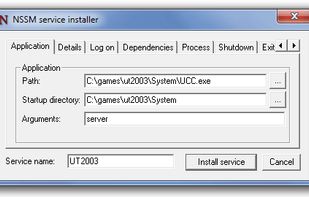
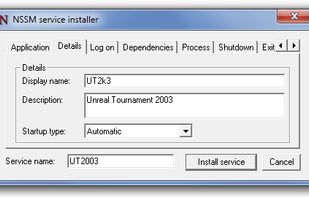
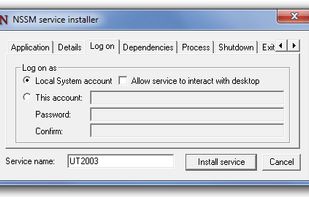
  1. nssm is a service helper which doesn't suck. srvany and other service helper programs suck because they don't handle failure of the application running as a service. If you use such a program you may see a service listed as started when in fact the application has died.

    Cost / License

    • Free
    • Open Source

    Alerts

    • Discontinued

    Platforms

    • Windows
    Environment tab
    Application tab
    Details tab
    +7
    Logon tab
    9 alternatives
  2. WinSW icon
     3 likes

    winsw - A wrapper executable that can be used to host any executable as an Windows service, in a liberal license

    Cost / License

    • Free
    • Open Source (MIT)

    Platforms

    • Windows
    9 alternatives
  3. Make Me Admin icon
     3 likes

    The user launches the Make Me Admin application. If they are authorized to obtain administrator rights, and they are not already an administrator, the “Grant Me Administrator Rights” button is enabled. When the user clicks the Grant button, a service, running in the background...

    Cost / License

    Platforms

    • Windows
    Make Me Admin screenshot 1
    Make Me Admin screenshot 1
    Make Me Admin screenshot 2
    4 alternatives
  4. Always Up icon
     6 likes

    AlwaysUp is the true set-it-and-forget-it way to run your mission-critical Windows application 24/7, unattended, starting it at boot and monitoring it to ensure that it is always running, even if it crashes, hangs, or fails.

    Cost / License

    • Paid
    • Proprietary

    Platforms

    • Windows
    AlwaysUp Overview
    Adding an Application to Run 24/7
    AlwaysUp Boxshot
    10 alternatives
  5. Shawl icon
     3 likes

    Shawl is a wrapper for running arbitrary programs as Windows services, written in Rust. It handles the Windows service API for you so that your program only needs to respond to ctrl-C/SIGINT. If you're creating a project that needs to run as a service, simply bundle Shawl...

    Cost / License

    • Free
    • Open Source (MIT)

    Platforms

    • Windows
    Shawl screenshot 1
    9 alternatives
  6. AdvancedRun icon
     2 likes

    AdvancedRun is a simple tool for Windows that allows you to run a program with different settings that you choose, including - low or high priority, start directory, main window state (Minimized/Maximized), run the program with different user or permissions, Operating system...

    Cost / License

    • Free
    • Proprietary

    Platforms

    • Windows
    AdvancedRun screenshot 1
    3 alternatives
  7. FireDaemon icon
     5 likes

    FireDaemon runs any application program executable or script as a Windows service when your computer starts up restarting it the application crashes or fails.

    Cost / License

    • Paid
    • Proprietary

    Platforms

    • Windows
    FireDaemon screenshot 1
    FireDaemon screenshot 1
  8. GS RichCopy 360 icon
     46 likes

    GS RichCopy 360 is the ONLY file copy utility that utilizes its own proprietary Multi-Threading technology that uses all available logical cores in the system.

    Cost / License

    • Paid
    • Proprietary

    Platforms

    • Windows
    Users are provided a wizard to guide them effortless through the job configuration while advanced users can choose to opt out of the wizard if they so desire.
    As you navigate each step of the wizard, you can command GS RichCopy 360 what files to copy, how to manage open or locked files, copy and retain NTFS permissions and preserve date and time stamp information.
    Notice in the above screenshot that jobs can “run as a service” as well, requiring no human intervention.
    +3
    Once you configure your jobs, everything about GS RichCopy 360 can be managed by a single pane of glass, making administration simple beyond measure.
    141 alternatives
    4.4
    Very Good27 reviews
  9. TSM is a very small tool to configure your services.

    Features:

    Save/Load state in XML. Enable/Disable/Startup/Manual/Stop/Pause/Resume in multiple selected services at once with one key press. Group by State or by Startup type. Shows parent and child services. Win32/Kernel serv.

    Cost / License

    • Free
    • Proprietary

    Platforms

    • Windows
    Turbo Service Manager screenshot 1
    4 alternatives
  10. Application as Service is an advanced system tool which lets you run any application as Windows Service. You can easily configure Application as Service using its intuitive GUI interface or command line configurator directly from your software.

    Cost / License

    • Paid
    • Proprietary

    Alerts

    • Warning

    Platforms

    • Windows
    Application as Service screenshot 1