Apps tagged with 'Freehand Drawing'

All apps in Apps tagged with 'Freehand Drawing' category. Use the filters below to narrow down your search. 
Copy a direct link to this comment to your clipboard
  1. Xodo icon
     72 likes

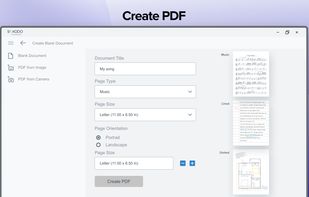
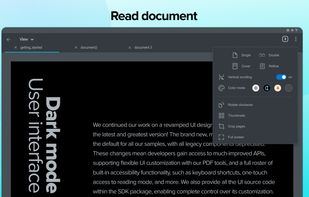
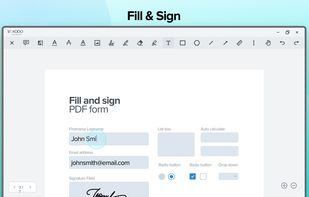
    Xodo is the ultimate cross-platform PDF viewer and annotator. Powerful, fast, and optimized for all phones and tablets, Xodo makes it easy to access, edit, share, sync, manage, sign, and more.

    Cost / License

    • Subscription
    • Proprietary

    Application type

    Since

    • Since 2014 (updated Oct 2026)

    Platforms

    • Windows
    • Chrome OS
    • Online
    • Android
    • iPhone
    • iPad
    • Android Tablet
    • Google Chrome
    • CA flagCanada
    Xodo screenshot 1
    Xodo screenshot 1
    Xodo screenshot 2
    +4
    Xodo screenshot 3
    155 alternatives
    3.5
  2. Pointofix icon
     2 likes

    Every screen content can be made available as a digital drawing area so that you can mark and highlight important things. Thus Pointofix is ideal for you as a teacher or IT trainer to support your lectures, training courses and presentations.

    Cost / License

    • Free
    • Proprietary

    Since

    • Since 2020

    Platforms

    • Windows
    • DE flagGermany
    • European Union flagEU
    Pointofix screenshot 1
    21 alternatives
  3. Cropy.it icon
     Like

    macOS and Windows screenshots with annotation, OCR, pinned snippets and searchable text-and-image clipboard history, stored locally with no account.

    Cost / License

    • Pay once
    • Proprietary

    Application type

    Since

    • Since 2026

    Platforms

    • Windows
    • Mac
    • DE flagGermany
    • European Union flagEU
    Crop + Copy in one flow — grab any part of your screen, mark it up, and copy it instantly. No juggling three different apps. That simple idea is what makes Cropy.it stand out.
    A searchable clipboard history for both text and images — every snippet you copy is kept, filterable by type, and one click away from pasting again. Never lose a copy.
    One tool, every capture mode: grab a region or window, the full screen, or an entire scrolling page — all unified in a single fast workflow.
    +3
    A complete annotation editor — draw, add arrows, boxes, text and speech bubbles, blur sensitive parts, zoom in, and drop a cursor, then share right away. You can even pin any snippet on top to read from while you type it out elsewhere.
    187 alternatives