ZScreen Alternatives

ZScreen is described as 'Open-source screen capture program that allows for region/window/full-screen screenshots. It can upload screenshots and put the URL in your clipboard in a single keystroke. It supports automatic custom naming conventions with variables' and is a screenshot capture tool in the photos & graphics category. There are more than 25 alternatives to ZScreen for a variety of platforms, including Windows, Mac, PortableApps.com, Wine and Steam apps. The best ZScreen alternative is ShareX, which is both free and Open Source. Other great apps like ZScreen are Greenshot, Snipping Tool, FastStone Capture and PicPick.

Copy a direct link to this comment to your clipboard
ZScreen alternatives page was last updated

Alternatives list

  1. Copy a direct link to this comment to your clipboard

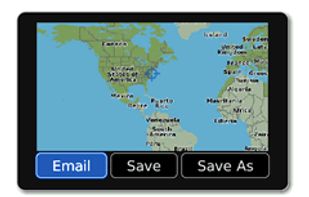
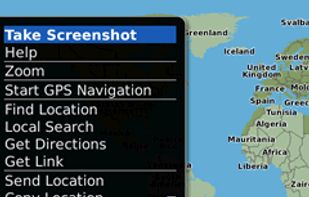
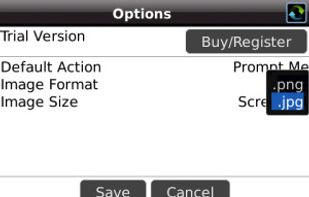
    Email Screenshot app allows you to take screenshots on your BlackBerry® device then quickly and easily send screenshots to your contacts. Customisable options are provided with this app. It's user-friendly and saves high-quality Screenshots on a selectable folder on the...

    Cost / License

    • Free
    • Proprietary

    Application type

    Platforms

    • Blackberry
     
  2. Copy a direct link to this comment to your clipboard

    Window Clippings is screenshot app that capture the full Aero glass and shadows interface in screenshots. You can use it to capture shots of windows, menus, or even a free-form selection quickly and easily.

    Cost / License

    • Paid
    • Proprietary

    Application type

    Platforms

    • Windows
     
  3. 7capture icon
     5 likes
    Copy a direct link to this comment to your clipboard

    7capture is free screen capture software for Windows 7, Vista and XP. 7capture automatically handles complicated transparency problems such as rounded corners and Aero semi-transparent windows backgrounds.

    No matter what Windows version you are using, 7capture will do it's m.

    Cost / License

    • Free
    • Proprietary

    Application type

    Platforms

    • Windows
     
  4. EasyCapture icon
     2 likes
    Copy a direct link to this comment to your clipboard

    EasyCapture is a powerful and easy-to-use free screen capture software.

    It allows you to capture whole windows, scrolling windows, selected-regions, fixed-size rectangles (regions) and window controls. It has a delayed capture mode, so that you can capture the target window dur.

    Cost / License

    • Free
    • Proprietary

    Application type

    Alerts

    • Discontinued

    Platforms

    • Windows
     
  5. IcyScreen icon
     2 likes
    Copy a direct link to this comment to your clipboard

    Automatic screenshot taker/automatic screen capture program. Have it take a screenshot every X seconds, and not only have the screenshots saved to disk, but also have them e-mailed, uploaded to a web server via FTP, and uploaded to an ImageShack account.

    Cost / License

    • Paid
    • Proprietary

    Application type

    Platforms

    • Windows
     
  6. Schirmfoto icon
     1 like
    Copy a direct link to this comment to your clipboard

    Schirmfoto is the easiest way of creating screenshots. Schirmfoto integrates itself into your Windows system by adding a new button in the title bar of each window. Clicking this icon will create a screenshot for you.

    Cost / License

    • Freemium
    • Proprietary

    Application type

    Platforms

    • Windows
     
  7. TPUCapture icon
     1 like
    Copy a direct link to this comment to your clipboard

    TPUCapture is an easy to use screenshot utility with a small memory footprint that resides in the system tray.

    Cost / License

    • Free
    • Proprietary

    Application type

    Platforms

    • Windows
     
  8. Purrint icon
     1 like
    Copy a direct link to this comment to your clipboard

    Make your PrintScreen button work the way it ought. Save to file, print to printer, or copy to dumb ol clipboard.

    Cost / License

    • Free
    • Proprietary

    Application type

    Platforms

    • Windows
     
  9. Copy a direct link to this comment to your clipboard

    Onde Screen Capture for Mac is currently the most professional and powerful screen grabbing utility running on Mac OS, by which you can easily capture any part on your Mac desktop such as rectangular or ellipse region, freehand region, full screen, active window or all windows...

    Cost / License

    • Freemium
    • Proprietary

    Application type

    Platforms

    • Mac
     
  10. SnipSnip icon
     2 likes
    Copy a direct link to this comment to your clipboard

    SnipSnip is a screen capture utility, designed for easy capture of some or all of your screen(s). It also allows you to do simple tasks like resizing, cropping and drawing on the capture.

    Cost / License

    • Free Personal
    • Proprietary

    Application type

    Platforms

    • Windows
     
  11. Copy a direct link to this comment to your clipboard

    Screen Capturer allows you to instantly capture any area of the screen to a file or email.

    Cost / License

    • Free
    • Proprietary

    Application type

    Platforms

    • Windows
     
You are at page 3 of ZScreen alternatives