YOSIDI CAD icon
YOSIDI CAD icon

YOSIDI CAD

2D on-site CAD app for iPad and iPhone that replaces paper surveys with precise CAD drawings, Bluetooth laser input, areas, dimensions, and DXF/PDF export.
YOSIDI CAD screenshot 1

Cost / License

  • Freemium (Pay once or Subscription)
  • Proprietary

Platforms

  • iPhone
  • iPad
1like
0comments
0articles

Features

Properties

  1.  Lightweight

Features

  1.  Dark Mode
  2.  Parametric Modeling
  3.  No Coding Required
  4.  No registration required
  5.  Support for Layers
  6.  Works Offline
  7.  Export to PDF
  8.  Interior Design
  9.  Blueprints
  10.  Bluetooth Support

YOSIDI CAD News & Activities

Highlights All activities

Recent activities

YOSIDI CAD information

  • Developed by

    ES flagPedro Lorencio Pérez
  • Licensing

    Proprietary and Freemium product.
  • Pricing

    One time purchase ranging between $1 and $3, and / or subscription that costs $2 per month + free version with limited functionality.
  • Alternatives

    2 alternatives listed
  • Supported Languages

    • English
    • Arabic
    • Catalan; Valencian
    • Chinese
    • Spanish
    • French
    • German
    • Italian
    • Portuguese
    • Croatian
    • Czech
    • Danish
    • Dutch
    • Finnish
    • Greek
    • Hebrew
    • Hindi
    • Hungarian
    • Japanese
    • Korean
    • Indonesian
    • Malay
    • Norwegian Bokmål
    • Polish
    • Romanian
    • Russian
    • Slovak
    • Swahili
    • Thai
    • Turkish
    • Ukrainian
    • Vietnamese

AlternativeTo Category

Photos & Graphics
YOSIDI CAD was added to AlternativeTo by yosidi on and this page was last updated .
No comments or reviews, maybe you want to be first?

What is YOSIDI CAD?

YOSIDI CAD is a professional 2D CAD app for on-site building surveys on iPad and iPhone.

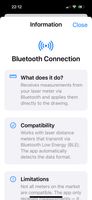
Instead of measuring a space with pencil and paper and redrawing it later in desktop CAD, YOSIDI lets you create the CAD plan directly while you are on site. You can enter measurements manually or connect a compatible Bluetooth Low Energy laser meter so distances go straight into the drawing.

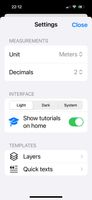
The app includes familiar CAD tools such as draw, text, offset, fillet, trim, extend, move, copy, rotate, stretch, match properties, measure, area, dimensions, layers, smart snap, colors, and line types.

YOSIDI also lets you insert AutoCAD-style 2D doors and windows with one tap, position them precisely by dragging or typing exact distances, calculate areas automatically, create surface schedules, add intelligent dimensions, and prepare professional deliverables.

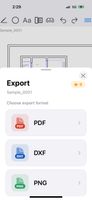
When the survey is finished, you can export a PDF with title block and surface table for the client, or export DXF to continue the project in desktop CAD software.

Official Links