




yEd Graph Editor
445 likes
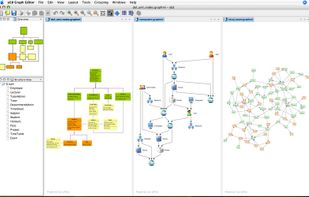
yEd is a powerful diagram editor that can be used to quickly create diagrams manually or import external data for analysis and auto-magically arrange even large data sets by just pressing a button. You can use yEd to quickly create flow charts, BPMN and UML diagrams...

 EU
Platforms
- Mac
- Windows
- Linux
- Online
- BSD


Features

Highlights All activities
yEd Graph Editor News & Activities
Recent News
No news, maybe you know any news worth sharing?
Share a News Tip
Recent activities
 Mauricio B. Holguin added yEd Graph Editor as alternative to NetworkSketch
 Paul added yEd Graph Editor as alternative to reladraw
 RuudLemmen added yEd Graph Editor as alternative to Orgivo
 Paul added yEd Graph Editor as alternative to Vellum Diagram Editor
 naught101 added yEd Graph Editor as alternative to Kumu
 infratoolbox added yEd Graph Editor as alternative to InfraToolbox
- Paul added yEd Graph Editor as alternative to Flostep
- benni liked yEd Graph Editor
 Tokihiko Ando added yEd Graph Editor as alternative to IngaBoard
- CM KY liked yEd Graph Editor




Progress & Management
A list with 568 apps by AmileyaRyver without a description.


Flowcharts
List of flowcharts i ever used


Resources for small business
A list of free/open source software / resources helpful for a small business.
Developed by
 yWorks
Licensing
Proprietary and Free product.Rating
Average rating of 3.8Alternatives
124 alternatives listedBadge
Get an embeddable badge for yEd Graph EditorSupported Languages



Comments and Reviews
You can use it, but there are a lot of problems. The default font and font size cannot be set. The arrow styles and layout are the same when editing. The labels cannot be rotated.
Amazing flowsheeting software. Use Inkscape to make custom icons, then save them as a yEd pallet, and the rest is just so easy. Lacking custom anchor points on symbols, and flipping of symbols, but otherwise amazing.
Good graphics, and it's free!
It's a great alternative to Visio and other pricey process mapping software. It does the job for me and has enough import and export options to keep me coming back to it.
Free and easy to use with provided icons
please make importing Scapple files. It is XML format
Creating, aligning and connecting nodes is very convenient. Node alingment helpers are just awesome.