XuTerm icon
XuTerm icon

XuTerm

Mobile terminal solution supporting SSH, MOSH, SFTP file browser, tmux multiplexing, port forwarding with session restore, biometric authentication, encrypted storage, cross-platform use for system administrators and developers, no data collection policy.
XuTerm screenshot 1

Cost / License

  • Free
  • Proprietary

Platforms

  • Android  Not available on Google Play. Official signed APK distributed on APKPure, AppGallery (Huawei) and Appteka. Native support for Mosh, Trzsz file transfer, Tmux, inline PDF & image preview in SSH terminal.
  • Android Tablet
  • HUAWEI AppGallery
  • APKPure
  • GitHub
1like
0comments
0articles

Features

Properties

  1.  Privacy focused
  2.  Lightweight
  3.  Support for Themes

Features

  1.  No Tracking
  2.  Ad-free
  3.  Portable
  4.  No registration required
  5.  Syntax Highlighting
  6.  Dark Mode
  7.  Works Offline
  8.  Mosh client
  9.  Support for SFTP

XuTerm News & Activities

Highlights All activities

Recent activities

  • xuterm updated XuTerm
  • xuterm updated XuTerm
  • xuterm updated XuTerm
  • xuterm updated XuTerm
  • xuterm updated XuTerm
  • xuterm updated XuTerm
  • xuterm updated XuTerm
  • xuterm added Portable as a feature to XuTerm
  • xuterm updated XuTerm
  • xuterm rated XuTerm  

XuTerm information

  • Developed by

    CN flagXuTerm
  • Licensing

    Proprietary and Free product.
  • Alternatives

    3 alternatives listed
  • Supported Languages

    • English
    • Chinese

AlternativeTo Categories

Network & AdminOS & Utilities
XuTerm was added to AlternativeTo by XuTerm on and this page was last updated .
No comments or reviews, maybe you want to be first?

What is XuTerm?

XuTerm: Ultimate Mobile Terminal Access your servers anytime, anywhere with XuTerm — a powerful, privacy-focused SSH/MOSH terminal for Android and iOS, built for developers and sysadmins.

Key Features:

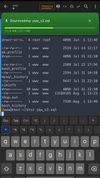
  • SSH & MOSH: Stable remote access with seamless session persistence across network switches
  • Native tmux Integration: Manage multiple terminal sessions efficiently in a single window
  • Native TOTP 2FA token manager with live session verification codes
  • SFTP Browser & Trzsz Support: Intuitive remote file transfer and lightweight file management
  • SFTP file hash calculation: remote-first computation with local fallback for integrity checks
  • In-Terminal File Preview: Directly view PDFs, spreadsheets and images without switching apps
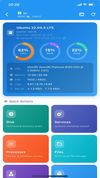
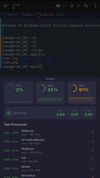
  • Layered real-time server monitor: Track CPU, memory, swap and load average with sparkline trends
  • Vertical marker bars to separate typed commands from output for easier long log navigation
  • Persistent Sessions: Auto-save and restore terminal sessions at any time
  • Enterprise-Grade Security: Biometric authentication, local encryption and full key management
  • Rich Customization: Multiple themes, dark mode and adjustable terminal fonts
  • New SSH key & password generator, with dev-ops toolkit: DNS, WHOIS, SSL inspector, formatters, CIDR, port test and encode-decode tools.

Why XuTerm?

  • Cross-platform support for Android & iOS
  • Zero data collection, fully privacy-oriented design
  • Continuous iteration with regular feature updates
  • Open-source and community-driven development Perfect for system administrators, developers, and DevOps engineers who need secure, convenient, and fully functional mobile remote server access.

Official Links