


XML Notepad
18 likes
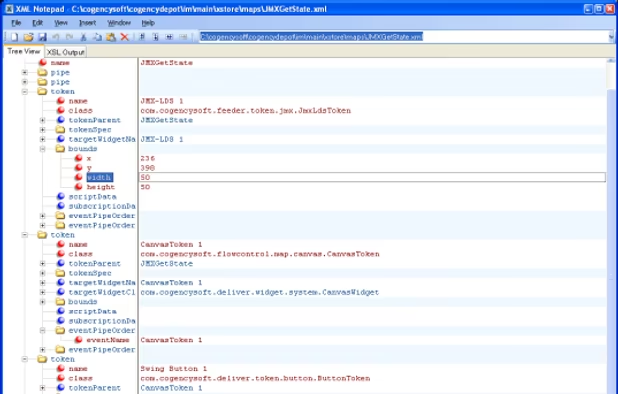
XML Notepad provides a simple intuitive user interface for browsing and editing XML documents.
 United States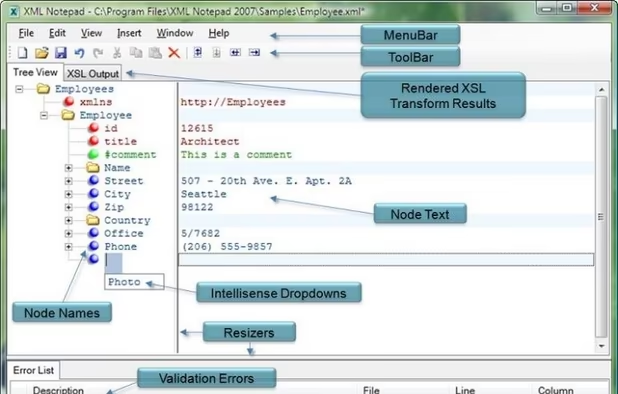

Features
- Hierarchical Structure
Tags
XML Notepad News & Activities
Highlights All activities
Recent activities
 jdwalker added XML Notepad as alternative to Altova MapForce
 coccomelon added XML Notepad as alternative to Notepad++
 POX removed XML Notepad as alternative to ReText


XML Notepad information


Featured in Lists

A list with 39 apps by davidlukmanulhakim without a description.
List by davidlukmanulhakim with 39 apps, updated

A list with 27 apps by trank without a description.
List by Khai Tran with 27 apps, updated
What is XML Notepad?
XML Notepad provides a simple intuitive user interface for browsing and editing XML documents.
Handy features include:
- Tree View synchronized with Node Text View for quick editing of node names and values.
- Incremental search (Ctrl+I) in both tree and text views, so as you type it navigates to matching nodes.
- Cut/copy/paste with full namespace support.
- Drag/drop support for easy manipulation of the tree, even across different instances of XML Notepad and from the file system.
- Infinite undo/redo for all edit operations.
- In place popup multi-line editing of large text node values.
- Configurable fonts and colors via the options dialog.
- Full find/replace dialog with support for regex and XPath.
- Good performance on large XML documents, loading a 3mb document in about one second.
- Instant XML schema validation while you edit with errors and warnings shown in the task list window.
- Intellisense based on expected elements and attributes and enumerated simple type values.
- Support for custom editors for date, dateTime and time datatypes and other types like color.
- Handy nudge tool bar buttons for quick movement of nodes up and down the tree.
- Inplace HTML viewer for processing xml-stylesheet processing instructions.
- Built-in XML Diff tool.
- Support for XInclude
- Dynamic help from XSD annotations.
- Goto definition to navigate includes and XSD schema information.
Comments and Reviews
Easy to use app that allows for creating and editing XML even without coding knowledge.