Xfe is described as 'X File Explorer (Xfe) is an MS-Explorer or Commander like file manager for X. It is based on the popular, but discontinued, X Win Commander, originally developed by Maxim Baranov' and is a File Manager in the file management category. There are more than 50 alternatives to Xfe for a variety of platforms, including Windows, Linux, Mac, BSD and Android apps. The best Xfe alternative is Double Commander, which is both free and Open Source. Other great apps like Xfe are Total Commander, Files, Spacedrive and Dolphin File Manager.


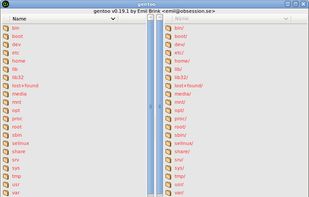
gentoo is a two-pane file manager for the X Window System. gentoo lets the user do (almost) all of the configuration and customizing from within the program itself. If you still prefer to hand-edit configuration files, they're fairly easy to work with since they are written...


CLEX is a free lightweight file manager with a full-screen user interface. It runs on GNU/Linux, FreeBSD, and other Unix and Unix-like systems. CLEX is open-source software licensed under the GNU General Public License.


What is Rodent?
Rodent is fast, small and powerful file manager for the GNU operating system (but it also works in BSD). That's one way to look at it. Another way is to call it a graphic shell (that's probably more accurate).
Rodent wastes no space on menus or function.

4Pane is a highly configurable dual-pane Linux file manager.
The name is derived from the fact that each of the two panes has two sub-panes: one that shows the directory tree pane and the other that shows files in the selected folder (tree node).
Although deceptively simple-l.


It is a file manager for UNIX-like operating systems. It uses a simple and efficient interface pioneered by Norton Commander, in the 1980s.

Dos Navigator Open Source Project is dedicated for development of the popular file shell Dos Navigator (DN) through collective efforts of an open group of programmers.

File Explorer Pro is a free, secure tool that helps you find file faster, manage files easily, powerful file manager with a clean, and intuitive interface. You can easily find how many files & apps you have on your device at a glance instantly.


Rename, move, copy, delete, and otherwise manage multiple files. Rename multiple files according to the rules and pattern you specify using powerful editor with syntax highlighting. Copy, move files to folders specified using absolute/relative paths.


WinBrowser features a multi-column interface as used on the Macintosh resulting in the most elegant file manager available for Windows today.