


Kodi
1573 likes
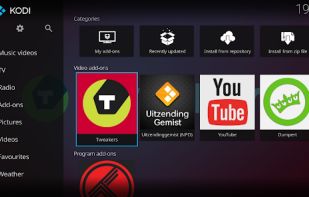
Open-source media player compatible with Linux, Mac, Windows, Xbox, and iOS, designed for home theater PCs. Customizable with themes, supports 4K, audio and video formats, streaming, privacy-focused operations, and extensible with plugins.

Cost / License
- Free
- Open Source
Application typeApplication types
Platforms
- Mac
- Windows
- Linux
- Android
- iPhone
- Android Tablet
- BSD
- iPad
- Flathub
- Flatpak
- Raspberry Pi
- Fire TV
- Apple TV
- HUAWEI AppGallery
- Xbox
- F-Droid


Features
Highlights All activities
Kodi News & Activities
Recent News
- Fla published news article about Kodi
- Fla published news article about Kodi
- Paul published news article about Kodi


Recent activities


Best Personal Media Apps
Must have apps for running your own personal media.
Updates:
May 20th, 2022: Replaced Mylar with Mylar3. Removed Cardigan due to discontinuation of development.
May 17th, 2022: Removed CouchPotato since it has been officially discontinued and the github repo archived by the author. Added "Readarr" and "Requestrr" to media management and request management.
May 16th, 2022: Added additional apps to the Honorable Mentions section.
March 27, 2019: Added MediaElch for metadata editing, TagScanner for audio file metadata editing, and Emby as an alternative to Plex.
December 3, 2018: Added Soundiiz for online music service playlist synchronization.
July 30, 2018: Added Mylar and Ombi.
July 28, 2018: Added Honorable Mentions section with other noteworthy media apps.
July 11, 2018: Added cTiVo as a media downloader.
June 18, 2018: Added a section for Search and Indexer utilities, which may utilized by the various Media Managers also listed below.



Oh My List
Useful App


Free TV Movies & More
I decided to expand it to include both legal and pirated means.
Official Links


Install from the command line
winget install -e --id XBMCFoundation.Kodibrew install --cask kodiflatpak install flathub tv.kodi.Kodi
Developed by
 The Kodi Foundation
 Licensing
Open Source and Free product.Written in
Rating
Average rating of 3.6Alternatives
97 alternatives listedNews
8 news article related to KodiBadge
Get an embeddable badge for KodiSupported Languages

AlternativeTo Categories
Video & Movies, Audio & MusicGitHub repository
- 21,319 Stars
- 6,625 Forks
- 499 Open Issues
- Updated


Comments and Reviews
The best of the best.
Powerful, great looking, and gets the job done very well. A little bit of learning curve, but unstoppable for powerusers.
What used to be the greatest mediacenter for the first XBOX has turned into a nightmare. We all know the pros: it is free and not windows mediacenter.
Cons?
-Requires more steps to enable "unknown sources" than Android -Is slowly closing down: bands addons, implements source verfication and so on..let's face it they what to monetize -The UX has been "reworked" by insane people, e.g. the Systemsetting have cute useless biiiig icons now but you won't be able to find anything. -Adding an AddOn from Zip from a remote source takes about 500% longer than before. -For over 10 years now people have been requesting basic functionality like adding an IPCamera stream...still not done
I guarantee it: there will be a payed subscription model before there will be an IP camera plugin.
Time to fork.
Its not for dummies, period. This app assumes you know how to use a computer fairly well regarding, navigation, directory's and internet, if you dont, you tube it, you are NOT going to figure this one out on your own. I use it as a desktop app in place Plex as plex seem to be selling user data. It is a power great endlessly customizable application. For a web developer it a dream come true because you can likely make your own nodes. you just need to learn some python.
Minuses: 1) there is NO miniature window preliminary viewing - Preview;
there is NO changing the playback speed of a media file (acceleration/deceleration). There is only forward/backward;
category «Settings» is NOT intuitive, it is OVERLOADED with unnecessary, secondary information, which COMPLICATES the process of configuring the videographic player to meet the user's needs;
lack of percentages (%) and the time of the viewed file, as well as the time until the end of the videography.
Plus - there is a technology for «Resuming Playback» - when you can resume watching a videographic file from the time stamp at which the recording stopped during the previous viewing.
A media center rich in features and add-ons. However, the default UI is quite confusing and heavy
It's got a wide variety of films just been rekeased
I used to have a WDTV, then an Asus O!Play, and when they died, I ended up with a Kodi player as a gift. It played everything that the other players would, and unlike them, it had internet connectivity, so things like subtitles and IMDB functions could be integrated.
So in addition to playing pretty much anything, it's also great for things like when you have a "who is that guy? I know I've seen him somewhere" moment when you're watching a movie, and you can see everything else in your library with that actor/director.
I've never really used it to stream; attempts to integrate it with Amazon Prime, Netflix, or even Youtube have been more effort than they're worth. But if you want a solid video playback server for your video library, it's about the best there is.