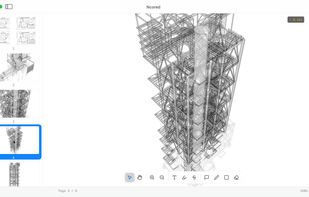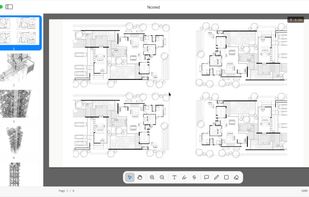
Simple macOS PDF reader with ChatGPT integrated. You can chat with your local PDF. The returned response can cite the page number to ensure correctness.

Wondershare PDFelement is described as 'Edit text, images, and objects within PDFs, annotate, convert to Word or other formats, use OCR, fill and sign forms, merge, split, and manage pages' and is a PDF Reader in the office & productivity category. There are more than 100 alternatives to Wondershare PDFelement for a variety of platforms, including Windows, Web-based, Mac, Linux and iPhone apps. The best Wondershare PDFelement alternative is LibreOffice - Writer, which is both free and Open Source. Other great apps like Wondershare PDFelement are PDF Arranger, PDF-XChange Editor, PDFsam and Adobe Acrobat DC.
Simple macOS PDF reader with ChatGPT integrated. You can chat with your local PDF. The returned response can cite the page number to ensure correctness.

Comprehensive cross-platform PDF suite enabling accurate conversion from native or scanned files to Word, Excel, PowerPoint, and AutoCAD, with OCR support, document editing, annotation, redaction, interactive forms, table customization, batch creation, secure signing, and multilingual UI.


Cloud PDF toolkit provides over 20 tools for editing, conversion, OCR, merge, split, annotation, batch processing, and signatures, with free online access, cross-platform usability, no watermarks, no size limits, and options for mobile and desktop integration.


Read, edit, annotate, and sign PDF documents with built-in AI features like summarize and translate, OCR in 50+ languages, fill forms, export to major formats offline, apply watermarks, compress files, secure with passwords, and use text-to-speech on all major platforms.


Online PDF Converter - Create, edit and merge PDF - Unlock PDF and remove protection - Free - Convert your files to PDF or use one of many other useful PDF tools - fast and easily. You can edit and rotate PDF pages individually or as a whole.


PDFs.com is a online platform to edit, convert and manage multiple PDF-Files at once. Each PDF tool available on pdfs.com can be used with different PDF files simultaneously. This is especially useful for users who need to edit many PDF files per day to save time.


Converts PDF files to Word (DOC, RTF) and Word (DOC, DOCX) to PDF, preserving graphics, tables, fonts, and layout, supporting password protection, font embedding, image compression, and batch conversion for fast, accurate, professional documents.

Excellent powerful tool to edit PDF, annotate PDF, redact, protect and more.
PRO Version includes: Remove default watermark Combine PDF files Lifetime license - Windows Commercial use Priority Support.