WinRepair Toolkit answers all of that with a single file. No installation. No .NET. No PowerShell. Just WinRepair.exe.
What's inside
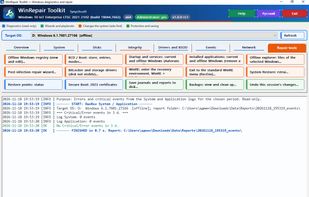
🔧 A workshop for a sick system. A regedit-grade offline registry editor. A BCD and boot-mode editor. Autoruns-style startup and services. An offline file explorer. Forced removal of the program that keeps Windows from starting. All of it aimed at another Windows that sits on a disk and can't switch on.
🧭 The "What happened?" wizard. Not sure where to begin? Pick a symptom and the program checks BitLocker, disks, partitions, the bootloader, registry hives, updates, crash dumps, services and the network, then lists findings by severity with a recommended action. Nothing happens without your "yes".
💾 Your own bootable WinPE stick. One button gives you a USB stick that boots on its own and opens WinRepair first. No third-party builds. Even System Restore (rstrui) works right from it: roll Windows back to a restore point without ever booting it. Works with Secure Boot left on.
↩️ One-click undo. The program keeps a journal of everything it changed — registry, files, BCD, quarantine. Changed your mind? One button reverts it all in the safe order, even after a restart.
📱 ARM, too. A native build for Windows on ARM: Snapdragon laptops are no longer left without a tool.
🛡️ Safety as a habit. Confirmation before every action, a backup before every change, quarantine instead of deletion, a complete log. And not a single byte leaves your machine — the program sends nothing anywhere.








 Tynychsoft added WinRepair Toolkit as alternative to Tweaking.com - Windows Repair and RepairKit

 Google


No comments or reviews, maybe you want to be first?