
WinLauncher Standard icon

WinLauncher Standard

 Like

WinLauncher Standard keeps files, folders and web links you choose in one searchable list. Give each a memorable name and short tags, then press Alt+Space, type a word, select a result and press Ctrl+Enter to open it.
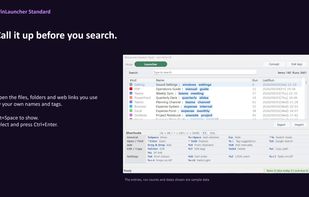
Call it up before you search: your saved files, folders and web links in one keyboard-first list.

Cost / License

  • Pay once
  • Proprietary

Application type

Since

  • Since 2026

Platforms

  • Windows
0likes
0articles
Save

Features

Properties

Features

Highlights All activities

WinLauncher Standard News & Activities

Recent activities

WinLauncher Standard information

AlternativeTo Category

OS & Utilities
WinLauncher Standard was added to AlternativeTo by ry_dev on and this page was last updated .

No comments or reviews, maybe you want to be first?

Official Links

What is WinLauncher Standard?

WinLauncher Standard keeps files, folders and web links you choose in one searchable list. Give each a memorable name and short tags, then press Alt+Space, type a word, select a result and press Ctrl+Enter to open it. Add items by drag and drop, from a copied path or URL, or from an Explorer selection or selected path text.

The Launcher searches your saved list—not every file on your PC. Hold Ctrl on a selected item to show its folder tree; use the arrow keys to explore around it. Other modes cover reusable text, Edge Favorites from the Default profile, recent Windows and Office items (depending on your setup), and optional Everything integration (requires Everything separately).

The app has English and Japanese interfaces and a manually selectable light or dark theme. Launcher and Snippet lists can be exported as CSV; this is not a full settings backup. It is a one-time purchase, not a subscription. The Microsoft Store edition offers a 30-day free trial; ZIP editions do not. Prices vary by storefront.

WinLauncher Standard Videos