WinDroidFS icon
WinDroidFS icon

WinDroidFS

 Like

WinDroidFS is designed as a more efficient replacement for MTP, allowing you to access your Android device's files as a native Windows drive via USB (with other methods available too).
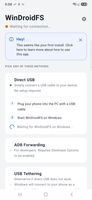
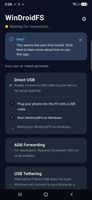
Android - Home (Light)
Android - Home (Dark)
+4
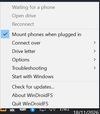
Windows - Tray Settings

Cost / License

  • Free
  • Open Source (MIT)

Application type

Since

  • New

GitHub

  • GitHub stars: 1

Platforms

  • Windows
  • Android
0likes
0articles
Save

Features

Properties

Features

Highlights All activities

WinDroidFS News & Activities

Recent activities

WinDroidFS information

AlternativeTo Category

File Management

GitHub repository

  •  1 Star
  •  0 Forks
  •  0 Open Issues
  •   Updated  
View on GitHub
WinDroidFS was added to AlternativeTo by Wilson Oon on and this page was last updated .

No comments or reviews, maybe you want to be first?

Official Links

What is WinDroidFS?

WinDroidFS is a high-performance, open-source file system bridge that mounts an Android device directly into Windows Explorer as a native drive letter (e.g., Z:). It was built to solve the unreliability and potential freezing of the standard Android MTP (Media Transfer Protocol) connection.

Using a Rust-based daemon on Windows and a companion Android app, WinDroidFS bypasses legacy MTP entirely by using the Android Open Accessory (AOA) protocol or USB Tethering to stream raw file data bidirectionally, resulting in significantly faster and more stable file transfers.

Key Features:

  • Native Windows Integration: Your phone appears as a standard local drive in "This PC". You can open, edit, and save files directly from your phone using any Windows application (like VS Code, Adobe Premiere, or MS Word) without having to copy them to your PC first.
  • MTP Replacement: No more "Calculating time required to copy the files" and random connection drops. WinDroidFS handles massive directories with ease.
  • Zero-Configuration USB (AOA): WinDroidFS uses a privileged Windows system service to automatically inject the necessary WinUSB drivers the moment you plug your phone in, requiring little to no manual setup. When you unplug, it gracefully restores your original drivers.
  • Multiple Connection Modes: Choose the default AOA (Accessory) mode for maximum throughput, stable USB Tethering, or even connect completely wirelessly over Wi-Fi. For developers, ADB is an option too.
  • Dual Mounting Engines: Defaults to a highly compatible local WebDAV server, with the option to upgrade to WinFSP (Windows File System Proxy) for native drive speeds.

Whether you are a developer pulling logs, a photographer transferring gigabytes of raw photos, or just someone tired of Windows Explorer crashing when you plug in your phone, WinDroidFS offers a seamless, easy-to-use solution with no ads or in-app purchases.