Free Windows Movie Maker Alternatives for Windows

There are many alternatives to Windows Movie Maker for Windows and since it's discontinued a lot of people are looking for a replacement. The best free Windows alternative is Kdenlive, which is also Open Source. If that doesn't suit you, our users have ranked more than 100 alternatives to Windows Movie Maker and many of them are free and available for Windows so hopefully you can find a suitable replacement. Other interesting free Windows alternatives to Windows Movie Maker are OpenShot, Shotcut, DaVinci Resolve and Avidemux.

filter to find the best alternatives

Windows Movie Maker alternatives are mainly Video Editors, but if you're looking for Screen Recorders or Screenshot Capture Tools you can filter on that. Other popular filters include Linux, Open Source, iPad, Free, Android, Windows + Free and Windows. You can also filter by region, for example EU-based alternatives if you prefer software developed in the European Union. These are just examples - use the filter bar below to find more specific alternatives to Windows Movie Maker.
Copy a direct link to this comment to your clipboard
Windows Movie Maker alternatives page was last updated

Alternatives list

  1. Kdenlive icon
     879 likes

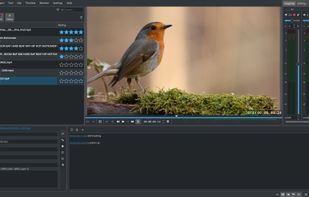
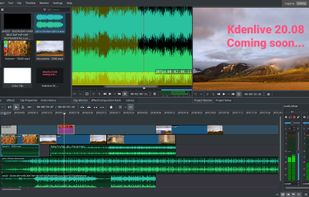
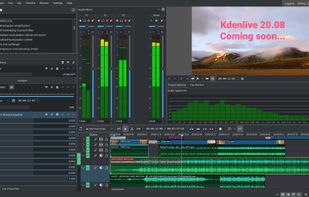
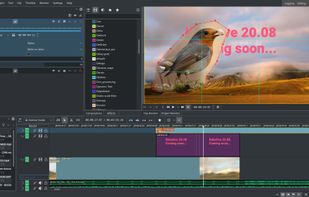
    Free, open-source multi-track video editor supporting multiple platforms and formats. Features include chroma key, color grading, 4K rendering, keyframe animation, and customizable workspaces. Offers privacy focus, offline use, and hardware acceleration without ads or registration.

    119 Kdenlive alternatives

    Cost / License

    Application type

    Platforms

    • Mac
    • Windows
    • Linux
    • BSD
    • KDE Plasma
    • Snapcraft
    • Flathub
    • Flatpak
     
    |
    2
    Kdenlive vs Windows Movie Maker Comments
    Guest
    Positive
    0

    Really simple, with a very similar layout to Windows Movie Maker!

    Review by a new / low-activity user.
    Guest
    Positive
    -2

    Its every YT MSpaint/PdN-ers dream, 0$ charge WMM with even more features and more notably. Composites and layers. For other people its still pretty good.

    Review by a new / low-activity user.
    • Kdenlive is Free and Open SourceWindows Movie Maker is Free and Proprietary
    • Kdenlive is Customizable, Lightweight and Privacy focusedWindows Movie Maker is not according to our users
  2. OpenShot icon
     572 likes

    Open-source, cross-platform video editor with unlimited tracks, simple interface, 3D animated titles, video and audio effects, waveform visualization, trim tools, keyframe animations, drag and drop import, multi-language support, and no export watermarks.

    135 OpenShot alternatives

    Cost / License

    • Free
    • Open Source

    Application type

    Platforms

    • Mac
    • Windows
    • Linux
    • Flathub
    • Flatpak
     
    |
    6
    OpenShot vs Windows Movie Maker Comments
    Top Positive Comment
    Guest
    5

    It's a good app, but it's a little laggy... and it's lack of subtitles... Besides that, the app is great.

    Review by a new / low-activity user.
    Guest
    Positive
    0

    because i need more alternate ways to make novies

    Review by a new / low-activity user.
    Guest
    Positive
    3

    Easy to use and sufficient functionality.

    Review by a new / low-activity user.
    3 of 6 comments
    • OpenShot is Free and Open SourceWindows Movie Maker is Free and Proprietary
    • OpenShot is Lightweight and Privacy focusedWindows Movie Maker is not according to our users
  3. Shotcut icon
     473 likes

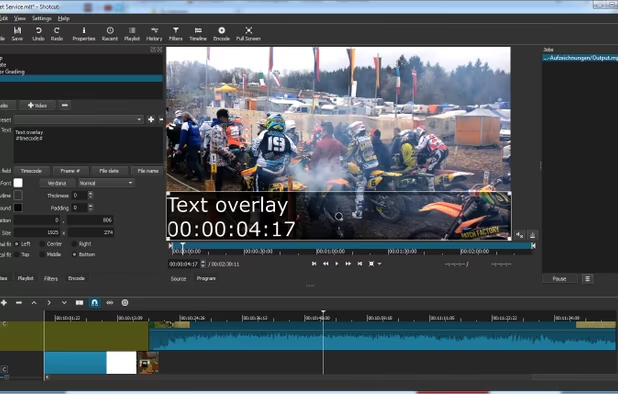
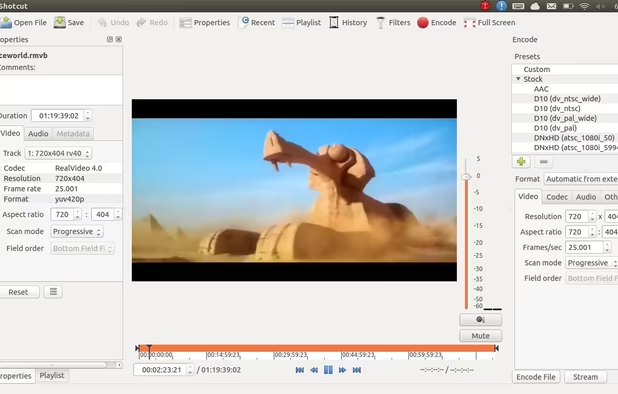
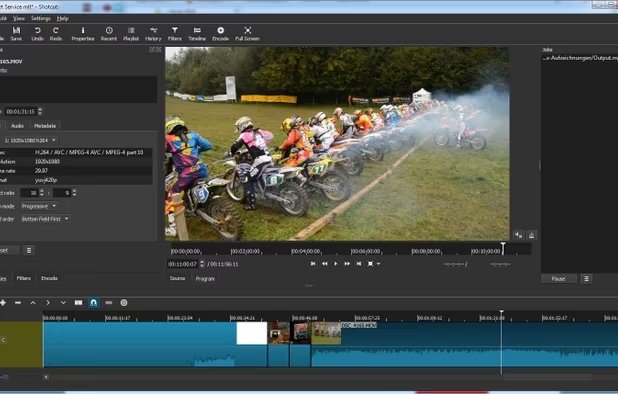
    Free and open-source, Shotcut is a cross-platform video editor supporting myriad formats with native editing, multi-format timelines, and precise seeking. It offers versatile resolution supports, capturing options up to 4k, and extensive platform integration through various capture and monitoring services.

    132 Shotcut alternatives

    Cost / License

    Application type

    Platforms

    • Mac
    • Windows
    • Linux
    • AppImageHub
    • Snapcraft
    • Flathub
    • PortableApps.com
     
    |
    4
    Shotcut vs Windows Movie Maker Comments
    Guest
    Negative
    6

    Movie maker is a much more simplified product and allows easy recording of narration and much easier timeline editing. While this would work for some scenarios it cannot be used to the same extent as Windows Movie Maker.

    Review by a new / low-activity user.
    Radzel
    Positive
    1

    It's free and more complete than movie maker

    Guest
    Negative
    2

    Movie maker was brilliant at taking film stills and stop motion frames in and outputting a video. SHotcuts "says" it does this, even on the forum - "tick the properties box and it will import the rest of your folder of stills..." It fails every time. Out of 45 frames, it only ever imports 5 maximum whereas Moviemaker just did the job.

    Review by a new / low-activity user.
    3 of 4 comments
    • Shotcut is Free and Open SourceWindows Movie Maker is Free and Proprietary
    • Shotcut is Lightweight and Privacy focusedWindows Movie Maker is not according to our users
  4. DaVinci Resolve icon
     442 likes

    Combines advanced video editing and color correction with integrated visual effects, motion graphics, and audio post-production in a user-friendly interface used by professionals, supporting 4K content, node-based control, plugins, and non-destructive editing, all within one app.

    117 DaVinci Resolve alternatives

    Cost / License

    • Freemium
    • Proprietary

    Application type

    Platforms

    • Mac
    • Windows
    • Linux
    • iPad
     
    |
    4
    DaVinci Resolve vs Windows Movie Maker Comments
    danigta
    Positive
    0

    Its free and has good features

    Theagurg
    Positive
    2

    The free version contains everything you need for editing movies. Sure, the free version can't edit 4K and only has "limited" (I have never found these limits) functionality but if all you need is cutting video from your holiday it is perfect. Also, the learning curve is not that steep.

    Guest
    Positive
    0

    Professional Software For Free. Easy Workflow. Best Color Grading. Easy To Learn. Premier Pro & Final Cut Pro are the only editors that compare, but they are costly.

    Review by a new / low-activity user.
    3 of 4 comments
    • DaVinci Resolve is Freemium and ProprietaryWindows Movie Maker is Free and Proprietary
  5. Avidemux icon
     653 likes

    Linear video editor supporting basic cutting, filtering, encoding, batch scripting, and many formats; ideal for single-file edits, trimming, re-encoding, and simple cleanup but not for multi-track or montage projects requiring nonlinear editing capabilities.

    155 Avidemux alternatives

    Cost / License

    • Free
    • Open Source

    Application type

    Platforms

    • Mac
    • Windows
    • Linux
    • BSD
    • PortableApps.com
     
    |
    5
    Avidemux vs Windows Movie Maker Comments
    Top Negative Comment
    fulviocorno
    7

    Avidemux is great for cutting or joining videos, but it not a full editor

    Guest
    Negative
    0

    Cannot put multiple videos together.

    Review by a new / low-activity user.
    Guest
    Negative
    0

    it just dosent have many tools

    Review by a new / low-activity user.
    3 of 5 comments
    • Avidemux is Free and Open SourceWindows Movie Maker is Free and Proprietary
    • Avidemux is LightweightWindows Movie Maker is not according to our users
  6. VideoPad icon
     71 likes

    Comprehensive video editor with over 50 visual effects and transitions, offering real-time previews and fully adjustable parameters. Supports diverse audio/video formats, adds photos and text, and enables sharing on DVDs, HD DVDs, Blu-Ray, mobile devices, or online. Free and professional versions available.

    155 VideoPad alternatives

    Cost / License

    • Freemium
    • Proprietary

    Application type

    Platforms

    • Mac
    • Windows
    • Android
    • iPhone
    • Android Tablet
    • iPad
    • Kindle Fire
     
    |
    1
    VideoPad vs Windows Movie Maker Comments
    Guest
    Positive
    0

    Raul Kinemaster Windows Movie Maker

    Review by a new / low-activity user.
    • VideoPad is Freemium and ProprietaryWindows Movie Maker is Free and Proprietary
  7. LosslessCut icon
     131 likes

    Simple, cross platform video editor for lossless trimming / cutting of videos. Great for rough processing of large video files taken from a video camera, GoPro, drone, etc. Lets you quickly extract the good parts from your videos and discard GB of data without losing quality.

    18 LosslessCut alternatives

    Cost / License

    Application type

    Platforms

    • Mac
    • Windows
    • Linux
     
  8. Camtasia icon
     234 likes

    This all-in-one solution offers screen and webcam recording, video editing, and chroma key features, producing stunning HD-quality content easily shareable on platforms like YouTube and Screencast.com. Designed for training, presentations, and more, it supports H.264 format and compact file sizes.

    270 Camtasia alternatives

    Cost / License

    • Freemium
    • Proprietary

    Platforms

    • Mac
    • Windows
    • Online
     
  9. VirtualDub icon
     323 likes

    VirtualDub is a video capture/processing utility for 32-bit and 64-bit Windows platforms (98/ME/NT4/2000/XP/Vista/7), licensed under the GNU General Public License (GPL). It lacks the editing power of a general-purpose editor such as Adobe Premiere, but is streamlined for fast...

    133 VirtualDub alternatives

    Cost / License

    • Free
    • Open Source

    Application type

    Alerts

    • Discontinued

    Platforms

    • Windows
    • PortableApps.com
     
  10. Animation Desk icon
     180 likes

    Create frame-by-frame animation, sketches, and storyboard projects using multiple painting tools, pressure sensitivity, onion skinning, stamp features, layer support, dynamic backgrounds, and easy export to PDF or animatics for sharing or further creative use.

    89 Animation Desk alternatives

    Cost / License

    • Freemium
    • Proprietary

    Platforms

    • Windows
    • Android
    • iPhone
    • Android Tablet
    • iPad
     
    |
    1
    Animation Desk vs Windows Movie Maker Comments
    Guest
    Positive
    9

    It is a very great animating software! Not exactly editing, however.

    Review by a new / low-activity user.
    • Animation Desk is Freemium and ProprietaryWindows Movie Maker is Free and Proprietary
  11. Lightworks icon
     167 likes

    Lightworks is an editing powerhouse, delivering unparalleled speed and flexibility, fully integrated with the other members of the Complete Collaboration family.

    109 Lightworks alternatives

    Cost / License

    • Freemium
    • Proprietary

    Application type

    Platforms

    • Mac
    • Windows
    • Linux
     
    |
    1
    Lightworks vs Windows Movie Maker Comments
    Guest
    Negative
    14

    It's VERY COMPLICATED, they changed the interface and added a whole lot of jargon. So maybe it's a good program, but someone like me who's made hundreds of Windows Movie Maker videos over the years and wants that same 'look', will not want to use Lightworks, priced or no.

    Review by a new / low-activity user.
    • Lightworks is Freemium and ProprietaryWindows Movie Maker is Free and Proprietary
12 of 38 Windows Movie Maker alternatives