





WinAppsLab Photo
Like
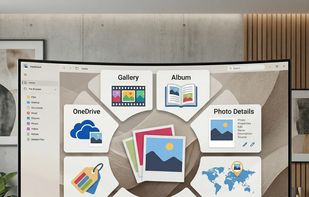
WinAppsLab Photo is a lightweight Windows photo viewer with map view, smart albums, custom tags, and OneDrive support, built for faster and smarter photo browsing.

Cost / License
- Free
- Proprietary
 EU
EUPlatforms
- Windows


Features

Highlights All activities
WinAppsLab Photo News & Activities
Recent activities
 Francesco Carraro added WinAppsLab Photo as alternative to FastStone Image Viewer
 Francesco Carraro added WinAppsLab Photo as alternative to Tonfotos
 Francesco Carraro added WinAppsLab Photo as alternative to Microsoft Photos, Fossify Gallery, Apple Photos, nomacs and 2 more
- Francesco Carraro added WinAppsLab Photo
 Francesco Carraro added WinAppsLab Photo as alternative to Google Photos, ACDSee Photo Studio, LibrePhotos, Amazon Photos and 4 more


Developed by
 WinAppsLab
 Licensing
Proprietary and Free product.Alternatives
14 alternatives listedBadge
Get an embeddable badge for WinAppsLab PhotoSupported Languages


No comments or reviews, maybe you want to be first?