Cost / License
- Freemium
- Proprietary
Platforms
- Android
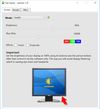
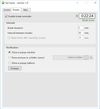
Win10_BrightnessSlider is described as 'This app puts a Monitor Brightness icon to on Taskbar Tray. So you can access it with 1 click' and is an app. There are more than 10 alternatives to Win10_BrightnessSlider for a variety of platforms, including Windows, Mac, Linux, Android and iPhone apps. The best Win10_BrightnessSlider alternative is f.lux, which is free. Other great apps like Win10_BrightnessSlider are Twinkle Tray, Solace, ModernFlyouts and winddcutil.
The program is designed to adjust the brightness of monitors, laptop displays and other equipment. Runs on Windows 7+ and does not require installation. Works with all external monitors that have DDC/CI support, as well as with built-in displays of laptops, all-in-ones and...


EyeSavior is Windows utility that allows changing monitor brightness from desktop. You can change monitor brightness manually or if you have hardware light sensor monitor brightness will be changed automatically according to your settings.

Simple Screen Brightness is a small portable application written in C# that allows you to adjust the brightness for all of your connected monitors using a slider without having to use their difficult-to-use built-in menu systems.

SunshinePal is your daily sunlight companion designed to help you track your exposure, set healthy goals, and reconnect with nature for better sleep and mood.


EyeAway is a beautiful, privacy-first macOS app that helps reduce digital eye strain using the proven 20-20-20 rule. Every 20 minutes, look 20 feet away for 20 seconds - your eyes will thank you.


Away From Keyboard is an app that reduces eye strain with reminders to take a break.

If you work in a dark room, or in room lit by the sun, or struggle with eye strain and headache, Simple Screen Shade will dim your displays - this way it will care for your health and comfort.