Walkie Desk icon
Walkie Desk icon

Walkie Desk

 Like

Walkie Desk is remote desktop software for reaching PCs even when nobody is in front of them and for giving remote support to customers.
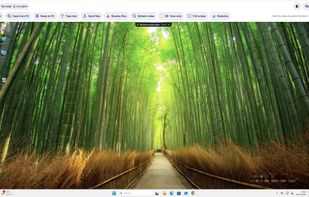
Walkie Desk screenshot 1

Cost / License

  • Freemium (Subscription)
  • Proprietary

Application type

Platforms

  • Mac  Beta. .deb/.rpm for x86-64 and ARM64 (incl. Raspberry Pi). X11 sessions only.
  • Windows  64-bit Windows 10 (2004+), Windows 11, Windows Server 2022/2025. No ARM or 32-bit.
  • Linux  Beta. macOS 13.3+ on Apple silicon (M1 or later) only.
  • Online  Technicians connect from Chrome, Edge, Firefox or Safari; no install needed.
0likes
0articles
Save

Features

Features

Highlights All activities

Walkie Desk News & Activities

Recent activities

Walkie Desk information

  • Developed by

    IT flagiDev S.r.l.
  • Licensing

    Proprietary and Freemium product.
  • Pricing

    Subscription that costs from $8 per month + free version with limited functionality.
  • Alternatives

    7 alternatives listed
  • Badge

    Get an embeddable badge for Walkie Desk
  • Supported Languages

    • English
    • Italian
Walkie Desk was added to AlternativeTo by WalkieDesk on and this page was last updated .

No comments or reviews, maybe you want to be first?

Official Links

What is Walkie Desk?

Walkie Desk is remote desktop software for reaching PCs even when nobody is in front of them and for giving remote support to customers.

Technicians connect from Chrome, Edge or Firefox, even from a phone, with nothing to install on their own computer. The PC to be reached runs Walkie Desk (Windows 10/11 and Windows Server 2022/2025; Macs with Apple silicon and Linux in beta). For quick support sessions the customer runs QuickSupport, which needs no installation and no account, and accepts the connection with one click.

Pricing is per seat: one connected technician with up to 3 PCs open at once, with unlimited PCs and unlimited registered technicians. A free Personal plan is available for non-commercial use.

Sessions are end-to-end encrypted with parameters signed by the devices, a second factor is mandatory for everyone, and the servers are in Italy with data kept in the European Union. Whoever is at the PC always sees who is connected and can end the session.

