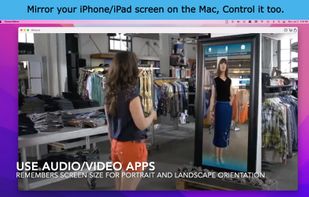
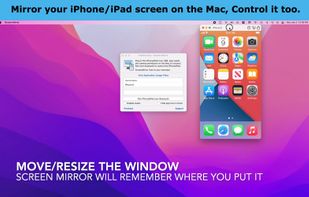
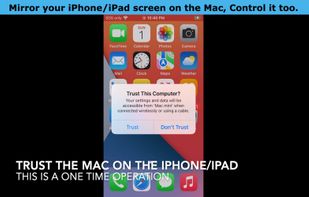
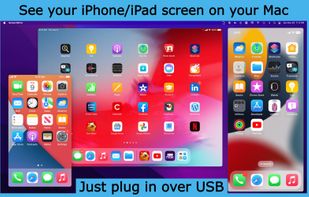
Interact with your small phone on your big display, your good speakers and your keyboard. Share your iPhone/iPad screen in Zoom/Teams….
Cost / License
- Freemium (Pay once)
- Proprietary
Application typeApplication types
Since
- Since 2025
United States


The best free alternative to Vysor is scrcpy, which is also Open Source. If that doesn't suit you, our users have ranked more than 25 alternatives to Vysor and many of them are free so hopefully you can find a suitable replacement. Other interesting free alternatives to Vysor are NectarLink, guiscrcpy, QtScrcpy and Samsung DeX.
Interact with your small phone on your big display, your good speakers and your keyboard. Share your iPhone/iPad screen in Zoom/Teams….


👻 A simple & beautiful GUI application for scrcpy. QQ?:734330215 - Tomotoes/scrcpy-gui

Self hosted server for remote control of Android devices (Android 7 or above). The software is open source and runs on Ubuntu Linux 16.04 and above. No mobile device rooting or adb connection required.


Screen Stream over HTTP allows viewing the device screen in your web browser. No need of any additional software except for this app and a web browser. No annoying ads or pop-ups. The application works via WiFi and/or 3G/LTE network. It uses MJPEG to encode screen images and send.


Aurynk (Aura + Sync, pronounced “aw-rink”) makes managing your Android devices from Linux simple and wireless. No more cables, no more complicated setup - just scan a QR code and you're connected!


Control and manage android device from PC client with keyboard & mouse over USB or Wireless network. Runs on Windows, Linux and MacOS with installed JRE (support Java 7 and later). No root required.


SideSync is a new PC-Mobile solution that enables screens, windows, and data to be shared easily. Share between a PC and a Galaxy smartphone, or between a Galaxy Tab and Galaxy smartphone.


The MyMobiler desktop application controls your Android device through USB connection or WiFi. It allows you to see your mobile device remotely and capture the screen or video. What you see in the desktop application is mirroring your device screen and you can interact with your...


Desktop app to control an android device remotely using mouse and keyboard. Should work on Windows/Linux/MacOS with any Android device.

Display Pocket PC applications on your desktop or laptop without needing any device side configuration.

Droid2Web lets you control your Android device from any web browser. No PC software to install, no USB cables required - just open the website, enter a code, and start controlling.


Free, open-source native Mac app for mobile developers and testers. It mirrors Android emulators, Android phones (USB or Wi-Fi with QR pairing) and iOS simulators side by side, with touch and keyboard input.