Voxia turns your recordings into organized, professional documents - automatically.
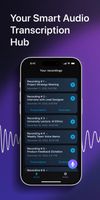
Whether it's a business meeting, a university lecture, a podcast, or a professional interview, Voxia delivers accurate speech to text transcription for audio files up to 4 hours long. No more rewinding. No more messy notes. Just clear, structured text ready to use.
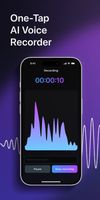
ACCURATE AI TRANSCRIPTION Record directly in the app or import any audio file. Voxia's AI engine converts speech to text with high accuracy, even in noisy environments. Support for long recordings means you can capture entire meetings, conferences, or study sessions without worrying about time limits.
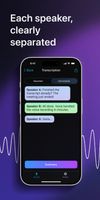
AUTOMATIC SPEAKER IDENTIFICATION Multiple people in the conversation? Voxia uses advanced speaker diarization to identify and label different voices. Each speaker gets their own label, making it easy to follow who said what - perfect for interviews, panel discussions, and team meetings.
SMART FORMATTING & STRUCTURE Forget messy walls of text. Voxia automatically organizes your transcripts with clear headings, logical paragraphs, and a table of contents. The result looks like a professionally formatted document, not a raw text dump.
AI-POWERED SUMMARIES Don't have time to read the full transcript? Voxia's AI analyzes the entire recording and generates a concise summary highlighting key points, decisions, and action items. Review a 2-hour meeting in 30 seconds.
PROFESSIONAL EXPORT Share your work instantly. Export formatted transcripts and AI summaries to Word (.docx) or PDF with a single tap. Send them to colleagues, attach to emails, or save to your cloud storage.
BUILT FOR: • Professionals - Capture meeting notes, action items, and decisions automatically • Students - Turn lectures into study-ready notes with summaries • Journalists - Transcribe interviews with accurate speaker labels • Researchers - Convert hours of field recordings into searchable text • Content Creators - Get transcripts of podcasts and videos for repurposing
Try Voxia today and never take manual notes again.
Terms of Use (EULA): https://voxia.pro/terms
Privacy Policy: https://voxia.pro/privacy









 Paul added Voxia Transcribe Audio as alternative to stenoAI
 zerotul added Voxia Transcribe Audio as alternative to Hyprnote, Granola, Amurex, Spokenly and 47 more


No comments or reviews, maybe you want to be first?