Volwheel AlternativesVolume Control Tools and other similar apps like Volwheel

Volwheel has been discontinued. Similar apps include EarTrumpet, which is free and open source. Other options are SoundSource, Volume2, Background Music and PulseAudio Volume Control. You can choose from more than 10 Volume Control Tools like Volwheel for Windows, Linux and Mac.

Copy a direct link to this comment to your clipboard
Alternatives
Volwheel alternatives page was last updated

Alternatives list

  1. EarTrumpet icon
     126 likes

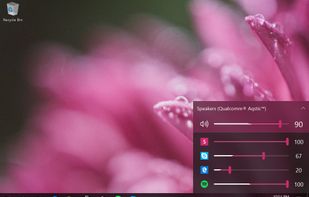
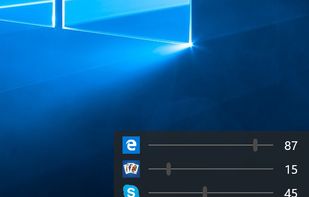
    Provides advanced per-app volume control for Windows 10 and 11 with multi-channel audio visualization, device switching, configurable hotkeys, modern interface options such as light and dark modes, automatic updates, multilingual support, and enhanced audio routing.

    45 EarTrumpet alternatives

    Cost / License

    • Free
    • Open Source

    Application type

    Platforms

    • Windows
    Good alternative?
     
  2. SoundSource icon
     10 likes

    Manage audio on a per-app basis, set individual volume and output devices, apply a 10-band equalizer or effects, customize headphone profiles, use Magic Boost for small speakers, adjust input or output settings rapidly, and access controls from the menu bar or floating window.

    41 SoundSource alternatives

    Cost / License

    • Freemium
    • Proprietary

    Application type

    Platforms

    • Mac
    Good alternative?
     
  3. Volume2 icon
     101 likes

    Volume2 is an advanced Windows audio mixer, a complete replacement for the standard Volume Control. This application lets you easily change the sound volume just by rotating the mouse wheel or by using keyboard hot keys or just mouse move on screen border.

    34 Volume2 alternatives

    Cost / License

    • Free
    • Proprietary

    Application type

    Platforms

    • Windows
    Good alternative?
     
  4. Background Music is a macOS audio utility that can automatically pause your music, set individual apps' volumes, and record system audio.

    Cost / License

    Application type

    Platforms

    • Mac
    Good alternative?
     
  5. PulseAudio Volume Control (pavucontrol) is a volume control tool (“mixer”) for the PulseAudio server. In contrast to classic mixer tools, this one allows you to control both the volume of hardware devices and of each...

    Cost / License

    Application type

    Platforms

    • Linux
    • Flathub
    Good alternative?
     
  6. Volumouse icon
     31 likes

    From authors website:

    Volumouse provides you a quick and easy way to control the sound volume on your system - simply by rolling the wheel of your wheel mouse.

    It allows you to define a set of rules for determining when the wheel will be used for changing the sound volume. For.

    Cost / License

    • Free
    • Proprietary

    Application type

    Platforms

    • Windows
    Good alternative?
     
  7.  2 likes

    Volctl - Volume Control per application from System Tray for Linux

    Volctl is a free and opensource app for Linux writen in python and gtk+ and that can be used to control volume per application and for enabled pulseaudio outputs from the system tray.

    Cost / License

    Application type

    Platforms

    • Linux
    • US flagUnited States
    volctl screenshot 1
    Good alternative?
     
  8. Volti icon
     3 likes

    Volti is an GTK+ application for controlling audio volume from system tray/notification area.

    Cost / License

    Application type

    Alerts

    • Discontinued

    Platforms

    • Linux
    Good alternative?
     
  9. Audio Sliders icon
     3 likes

    Audio Sliders is a audio control panel that is much smaller than and yet far more feature-rich than the standard Windows version. Features include... basics adjustment of volume/bass/treble levels; preset storage of different audio levels for different tasks; customizable global...

    Cost / License

    • Freemium
    • Proprietary

    Application type

    Platforms

    • Windows
    Good alternative?
     
  10. Volume Scroller allows you to quickly change the system volume. All you have to do is hold the mouse pointer over the taskbar and turn the mouse wheel.

    Cost / License

    Application type

    Platforms

    • Windows
    Good alternative?
     
    |
    1
12 of 22 Volwheel alternatives