




Volume Control: Quiet Dial
1 like
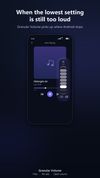
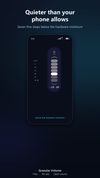
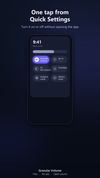
Floating control enables seven sub-minimum volume levels, down to 30 dB below hardware floor, for finer quiet listening. Drag, minimize, and close overlay as needed; no ads, no account, no internet, open source, and does not interfere with buttons or panels.


+2

Cost / License
- Pay once
- Open Source (GPL-3.0)
Platforms
- Android
- Android Tablet

Features
Highlights All activities
Volume Control: Quiet Dial News & Activities
Recent activities
- Rzuss updated Volume Control: Quiet Dial
- Rzuss updated Volume Control: Quiet Dial
- Rzuss updated Volume Control: Quiet Dial
 Paul removed Volume Control: Quiet Dial as alternative to Boom 3D
- Rzuss added Volume Control: Quiet Dial as alternative to App Volume Control
 TheEmperorArt added Volume Control: Quiet Dial as alternative to ViPER4Windows Redesigned and ViPER4Android FX
- Danilo Venom updated Volume Control: Quiet Dial
- Rzuss updated Volume Control: Quiet Dial
 Fla added Volume Control: Quiet Dial as alternative to FxSound, Equalizer APO, EasyEffects, Peace Equalizer and 10 more
- Paul updated Volume Control: Quiet Dial


Developed by
Granular AppsLicensing
Open Source (GPL-3.0) and Commercial product.Pricing
One time purchase (perpetual license).Alternatives
18 alternatives listedBadge
Get an embeddable badge for Volume Control: Quiet DialSupported Languages
AlternativeTo Categories
Audio & Music, OS & UtilitiesGitHub repository
- 39 Stars
- 4 Forks
- 3 Open Issues
- Updated



No comments or reviews, maybe you want to be first?