


Mouse less browsing (without shortcuts) https://chrome.google.com/webstore/detail/spotlink/ccpeekpolhnigeclfncaglcennmfcfjg?hl=nl.
Cost / License
- Free
- Proprietary
Platforms
- Online
- Chrome OS
- Google Chrome


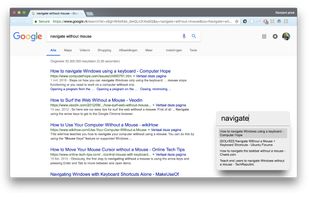


Vimperator has been discontinued. Similar apps include qutebrowser, which is free and open source. Other options are Mousio, Vimium, Shortcat and Tridactyl. You're spoiled for choice with Keyboard Navigation Utilities like Vimperator: we list more than 25 alternatives for Mac, Windows, Linux, Chrome OS and the web.
Mouse less browsing (without shortcuts) https://chrome.google.com/webstore/detail/spotlink/ccpeekpolhnigeclfncaglcennmfcfjg?hl=nl.
This software was created to offer you the possibility to control your mouse using the keyboard. It is a very simple application, which can replace your Computer Mouse with normal keystrokes on your keyboard!

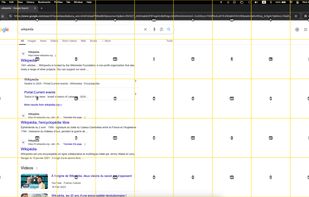
Upon pressing G, Keys for Safari generates & renders shortcuts for every clickable element on the page. It's a much more beautiful and simple alternative to apps that just display a little yellow tag anywhere without much thought to user experience.
 Australia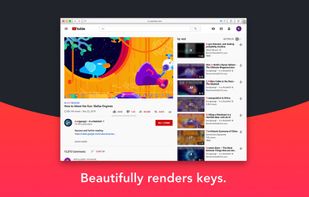



Conkeror is a keyboard-oriented, highly-customizable, highly-extensible web browser based on Mozilla XULRunner, written mainly in JavaScript, and inspired by exceptional software such as Emacs and vi. Conkeror features a sophisticated keyboard system, allowing users to run...
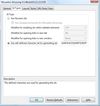
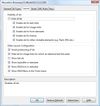
Mouseless Browsing (MLB) enables you to browse the web entirely with the keyboard. The basic principle is to add small boxes with unique ids behind every link and/or form element. You just have to type in the id to trigger the corresponding action i.e.
 Germany
 EU
EU

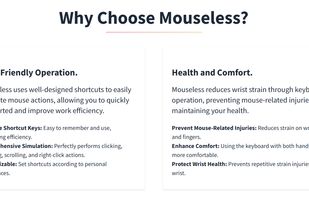
Mouseless is a software that allows you to efficiently and comfortably control your computer with your keyboard, eliminating the need for a mouse and preventing wrist pain.



Key Mouse Genie lets you control your mouse using your keyboard. Enables you to move the mouse, send left clicks, right clicks and double clicks. its a keyboard mouse with all the features of a standard mouse and more.


Navigate your Mac without touching your mouse. Boost productivity, reduce wrist strain, and stay in your flow state with KeyboardStack.


 France

