


VeraCrypt
Ensure your data's security by encrypting entire partitions, storage devices, or system drives with VeraCrypt. Benefit from transparent and automatic real-time encryption, hardware acceleration on modern processors, and robust security algorithms that are resistant to brute-force attacks.
Cost / License
- Free
- Open Source
Application type
 EU
EUPlatforms
- Mac
- Windows
- Linux
- BSD
- PortableApps.com
- Homebrew
- Chocolatey

Features
Properties
- Privacy focused
Features
- Encrypted storage container
- Local file encryption
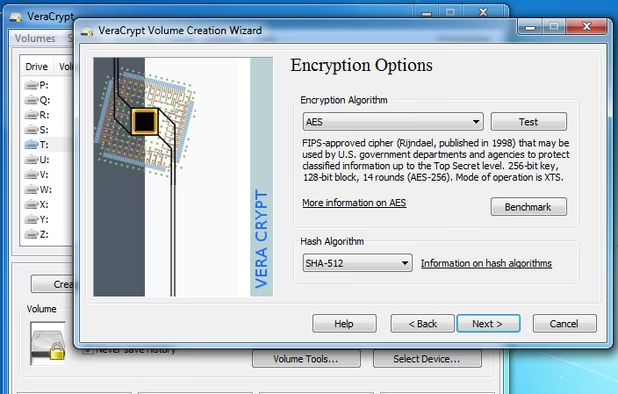
- AES Encryption
- Portable
- Multiplatform
- AES-256 Encryption
- Ad-free
VeraCrypt News & Activities
Recent News
Recent activities

Featured in Lists

This is the apps for Windows 11 that I would recommend to anyone who just got a PC ! The same list for

Privacy-enhancing software I trust / recommend. Browsers and their extensions, email providers, VPN services, …

These are all the software I use on my windows machine. I am privacy freak. So, I mostly use open source software. …
What is VeraCrypt?
VeraCrypt is a free and libre source (open source) disk encryption software brought to you by https://www.idrix.fr
Features:
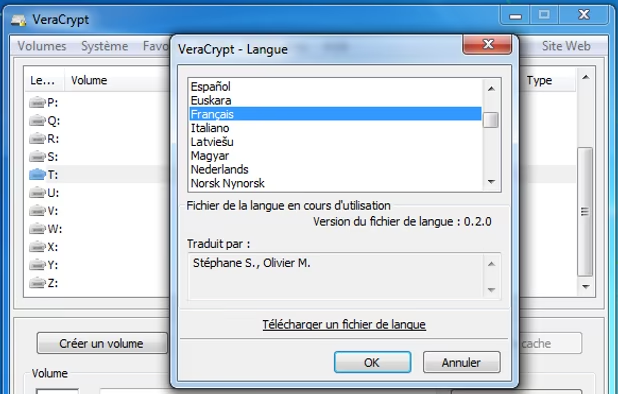
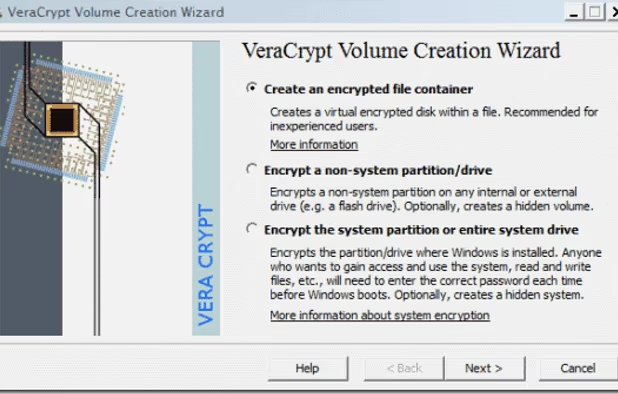
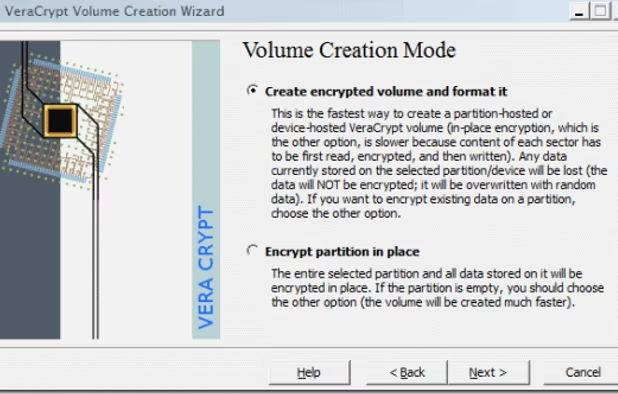
• Creates a virtual encrypted disk within a file and mounts it as a real disk. • Encrypts an entire partition or storage device such as USB flash drive or hard drive. • Encrypts a partition or drive where Windows is installed (pre-boot authentication). • Encryption is automatic, real-time (on-the-fly) and transparent. • Parallelization and pipelining allow data to be read and written as fast as if the drive was not encrypted. • Encryption can be hardware-accelerated on modern processors. • Provides plausible deniability, in case an adversary forces you to reveal the password: Hidden volume (steganography) and hidden operating system. • Multilingual. More than 35 languages. List at https://sourceforge.net/p/veracrypt/code/ci/master/tree/Translations • More information about the features of VeraCrypt may be found in this documentation at https://veracrypt.fr/en/Documentation.html
VeraCrypt is based on TrueCrypt 7.1a at  TrueCrypt . In comparison to TrueCrypt, VeraCrypt adds enhanced security to the algorithms used for system and partitions encryption, making it immune to new developments in brute-force attacks.
For example, when the system partition is encrypted, TrueCrypt uses PBKDF2-RIPEMD160 with 1000 iterations whereas in VeraCrypt we use 327670. And for standard containers and other partitions, TrueCrypt uses at most 2000 iterations but VeraCrypt uses 655340 for RIPEMD160 and 500000 iterations for SHA-2 and Whirlpool.
VeraCrypt is licensed with both Apache 2.0 and TrueCrypt 3.0 licenses. Per https://sourceforge.net/p/veracrypt/code/ci/master/tree/License.txt#l24
VeraCrypt Videos
VeraCrypt information
Developed by
 IDRIX
IDRIX Licensing
Open Source and Free product.Written in
Rating
Average rating of 4.6Alternatives
69 alternatives listedSupported Languages
- English
- French
- Chinese
- Dutch
- German
- Turkish
- Spanish
- Russian
- Japanese

AlternativeTo Category
Security & PrivacyGitHub repository
- 9,422 Stars
- 1,152 Forks
- 511 Open Issues
- Updated


Comments and Reviews
Pros
Cons
Have used it on Windows and Linux systems and have worked flawlessly.
10/10 would recommend!
During the past 2 years have tried to use VeraCrypt but always I get the many times reported "VeraCrypt::Elevator::Elevate:710" error. However it seems that nobody cares.
I've been using this for many years to secure my personal data in a number of Veracrypt volumes. I keep them in OneDrive and also backup to another cloud service monthly. I decrypt each drive as I need to use it. It's essential to my way of working.
On Linux it does not work! It claims my (account) password (which it needs to mount an image) has illegal characters. Well, it works to log me in... And it then even shows these characters (my password) on screen. Showing the password on screen is a no-go. This showing (and also checking a password, which is kinda patronizing) should be a red flag to anyone. Unless I severely weaken my password, I cannot use this rubbish.
Been using VeraCrypt for over 4 years to encrypt my drives. Works perfectly both on Windows and Linux, and it's super fast and secure.
Easy, Secure and strong encryption. I use it for years by now
VeraCrypt is the gold standard of private encryption.
It is a free, open-source disk encryption tool that has been third-party audited. You can't get much better than that. With closed-source software, you can trust the name. The bigger the name, the more they want to avoid damage to reputation. With non-audited open-source software, you have to place blind trust often when dealing with complicated encryption.
Although its for disk encryption, you can think of it like file encryption. You don't need different encryption software to "lock" folders. You could also just archive folders and encrypt with something like 7Zip.
For the cloud, there is some limitations, especially with large containers. The big cloud services like Dropbox can already update individual files rather than the entire disk, but some less well known ones can't. For that, you might consider cryptomator. But it's not completely audited by a well-known third party. Though most of the cryptographic libraries it uses have been.
But you don't need to worry about anything other than things like IP logging and metadata with Dropbox or other commercial brands. Because you are using this as client-side encryption, those services can never see the contents. Even the government can't see the contents if you have a good password.