




TrayLight
Like
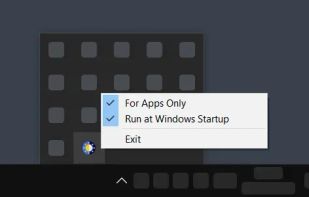
TrayLight is a simple, lightweight, portable utility for Windows that gives you the ability to toggle the system theme in one click using a tray icon. You can make a simple configuration in the menu right in the tray.

Cost / License
- Free
- Open Source (MIT)
Platforms
- Windows

Features
Highlights All activities
TrayLight News & Activities
Recent activities
 AltSaru added TrayLight as alternative to Auto Dark Mode, Easy Dark Mode, Luna and Adaptive Theme: Auto Dark Mode
- AltSaru updated TrayLight
- AltSaru added TrayLight

Developed by
 emsaicer
 Licensing
Open Source (MIT) and Free product.Written in
Alternatives
4 alternatives listedBadge
Get an embeddable badge for TrayLightSupported Languages

AlternativeTo Category
OS & UtilitiesGitHub repository
- 0 Stars
- 0 Forks
- 0 Open Issues
- Updated


No comments or reviews, maybe you want to be first?