





Tower
62 likes
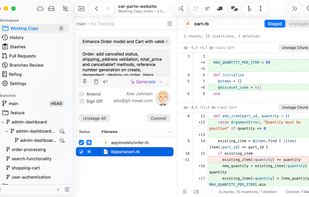
Native desktop Git client for macOS and Windows offering GUI access to full Git functionality including Pull Requests, Interactive Rebase, Image Diffing, Undo, Quick Actions, and seamless integration with leading code hosting services and external diff tools.

Cost / License
- Subscription
- Proprietary
Application typeApplication types
Since
- Since 2010
Platforms
- Mac
- Windows


Features


Highlights All activities
Tower News & Activities
Recent News
- Paul published news article about Tower
- Paul published news article about Tower
- Fla published news article about Tower


Recent activities







Core, Development & Services
A list with 807 apps by AmileyaRyver without a description.


Windows apps
A list with 97 apps by namdx1987 without a description.
Official Links
Install from the command line
winget install -e --id SaaSGroup.Towerbrew install --cask tower
Developed by
 SaaS.group Inc.
 Licensing
Proprietary and Commercial product.Pricing
Subscription ranging between $5 and $12 per month.Rating
Average rating of 4Alternatives
82 alternatives listedNews
9 news article related to TowerBadge
Get an embeddable badge for TowerSupported Languages


Comments and Reviews
Perfect for student. It's completely free for 1-year and if you still need it, you email them and they renew your subscription for free.
Fast, intuitive, has all the features I need !
This is a very great piece of software which helps me and my colleagues a lot in our collaborative model development.
Plus, the Tower team is super-friendly and has always replied to my emails very fast. I wish, all app developers would be like that!
The ability to undo mistakes by just hitting cmd-Z stands for the philosophy of Tower: Making the use of Git easy, intuitive and accessible for noobs. In the time I am working with Tower I had never the need to run Git in the terminal – and that’s great.
I've been keeping up with Tower for almost 10 years now. I found an email from back in December 2010 where I sent the beta to a friend of mine. It was only about 3 or 4 years ago that I finally broke down and bought it. I'd been using several free git clients for a while and they did work fine, but after trying a demo of Git Tower, things just clicked. It made managing my team's large git repository a breeze and was generally a joy to use. The client itself mostly stays out of your way and allows you to get your work done without difficulty.
I'm a happy paying customer and will continue to be for the foreseeable future.
I have been using Tower professionally for many years and I wouldn't want to work without it. The clean and intuitive user interface improves my Git workflow tremendously. It saves me a lot of time across the whole spectrum of committing, merging, push/pull, pull requests and most importantly, merge conflicts.
I basically never had to use the command line again since I started using Tower. It is an application I use daily and find it worth every penny. The support is outstanding and the resources the company provides on their website is super valuable.
Definitely a recommended piece of software if Git is a part of your daily business.
I use Tower for the complex rebases and most stuff beyond checkout and commit, which I'll do in the terminal unless I am already at Tower. And because of that, I end up helping fix all the rebase fuckups and merge hells of the rest of the team.
Squashes are trivial, just select the list, right-click, squash.
Exploring the list of local stashes as if they were folders is also really useful.
It enforces having a clean history because it makes visually ugly when there are many weird history merges around.
It is clear and concise. I have tried many alternatives, I keep trying others regularly, and I always come back. At this point, it's pretty much what keeps me on Mac.
The bad part: no Linux support, which is keeping me pretty much locked into macos> Also, it would be great if it had a decent embedded diff tool. Ages ago I used to have access to Araxis Merge, then I used to get by with FileMerge, but recently I've moved to Kaleidoscope and it's working great.
Give it a go, try it for a week at least. Wait until you have your first complex rebase to deal with to see the real benefits. If you are moving from other GUIs, you'll adapt quickly enough. If you are more of a terminal person, that's totally fine. Fire this up when you have to do complex stuff, squashes, rebases, trying to find lost stashes or missing commits, etc. and keep the usual day-to-day stash/commit/push/pull/fetch on the terminal.