TouchNow AlternativesRemote Desktop Tools and other similar apps like TouchNow

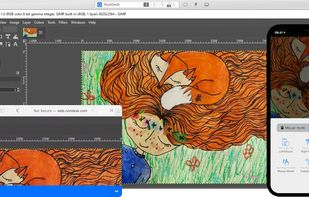
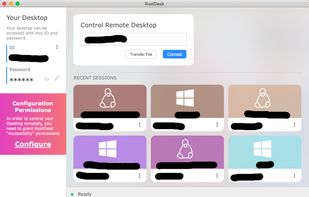
TouchNow is described as 'Control your Mac from iPhone or iPad by touch, or play Mac games with an on-screen controller. Free on your own Wi-Fi, no account' and is a Remote Desktop tool in the network & admin category. There are more than 10 alternatives to TouchNow for a variety of platforms, including Mac, iPad, Windows, iPhone and Android apps. The best TouchNow alternative is RustDesk, which is both free and Open Source. Other great apps like TouchNow are TeamViewer, AnyDesk, Parsec and Moonlight Game Streaming.

Copy a direct link to this comment to your clipboard
Get a badge for your siteTouchNow alternatives page was last updated

Alternatives list

  1. RustDesk icon
     306 likes

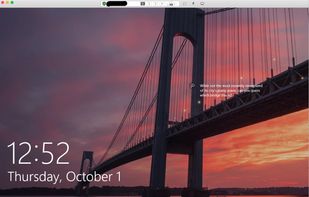
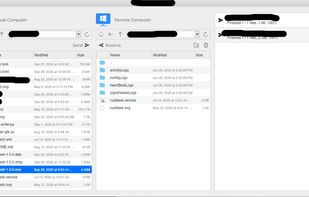
    Provides secure, cross-platform remote access and file sharing with no registration needed. Offers end-to-end encryption, self-hosting, multi-monitor support, screen sharing, and portable use, all with a lightweight, ad-free interface.

    146 RustDesk alternatives

    Cost / License

    Application type

    Platforms

    • Mac
    • Windows
    • Linux
    • Android
    • iPhone
    • Android Tablet
    • iPad
    • Self-Hosted
    • Flathub
    • F-Droid
    • Flatpak
     
  2. TeamViewer icon
     3115 likes

    Remotely access and control any PC or server in seconds with secure encrypted connections, fast setup, file transfers, VoIP voice, webcam integration, multi-platform compatibility, and application selection, making support and collaboration seamless and efficient.

    78 TeamViewer alternatives

    Cost / License

    • Free Personal
    • Proprietary

    Application type

    Platforms

    • Mac
    • Windows
    • Linux
    • Android
    • iPhone
    • Chrome OS
    • Android Tablet
    • iPad
    • Kindle Fire
    • Raspberry Pi
     
  3. AnyDesk icon
     444 likes

    Efficient app for secure remote access and file transfers across desktop and mobile devices. It's small, fast, and ideal for both enterprise and personal use, compatible with systems like macOS, Windows, and Linux, and offers features like session recording and custom branding.

    165 AnyDesk alternatives

    Cost / License

    • Free Personal
    • Proprietary

    Application type

    Platforms

    • Mac
    • Windows
    • Linux
    • Android
    • iPhone
    • Chrome OS
    • Android Tablet
    • BSD
    • HUAWEI AppGallery
    • iPad
    • Apple TV
    • Samsung Galaxy Store
    • FreeBSD
    • Raspberry Pi
    • Flathub
     
  4. Parsec icon
     115 likes

    Securely access remote computers in low latency, 60 FPS, and HD. Play local multiplayer games, collaborate on work with multiple monitors, or use advanced tools and permissions for teams. Enjoy end-to-end encryption, two-factor authentication, and portable access, ad-free.

    44 Parsec alternatives

    Cost / License

    • Freemium
    • Proprietary

    Application type

    Platforms

    • Mac
    • Windows
    • Linux
    • Android
    • Android Tablet
     
  5. Moonlight allows you to stream your collection of games from your GameStream-compatible PC to any supported device and play them remotely. Moonlight is perfect for gameplay on the go without sacrificing the graphics quality of your gaming computer.

    15 Moonlight Game Streaming alternatives

    Cost / License

    Application type

    Platforms

    • Mac
    • Windows
    • Linux
    • Android
    • iPhone
    • HP webOS
    • Chrome OS
    • Android Tablet
    • iPad
    • Apple TV
    • Flathub
    • Tizen OS
    • F-Droid
    • Xbox
     
  6. Extend your Steam gaming experience to your mobile device, TV, VR headset or PC, also works for non-gaming stuff like controlling the desktop.

    12 Steam Link / Steam Remote Play alternatives

    Cost / License

    • Free
    • Proprietary

    Application type

    Platforms

    • Linux
    • Android
    • iPhone
    • Android Tablet
    • iPad
    • Apple TV
    • Flathub
    • Steam
    • Windows
    • Mac
    • Raspberry Pi
    • Meta Quest
    • Android TV
     
  7. Duet Display icon
     54 likes

    Turns iOS or Android devices into efficient second displays or graphics tablets for Mac and PC, delivering zero-lag, high-resolution output with touch, gesture, and touch bar support, hardware-free setup, secure remote desktop capabilities, and end-to-end encryption.

    42 Duet Display alternatives

    Cost / License

    • Paid
    • Proprietary

    Platforms

    • Mac
    • Windows
    • Android
    • iPhone
    • Android Tablet
    • iPad
    • visionOS
     
  8. Transforms a tablet or smartphone into an additional wired display using USB for Windows or Mac, enabling high-performance multitasking, touch control, auto landscape or portrait mode switching, support for creative and office apps, and secure connectivity.

    22 Splashtop Wired XDisplay alternatives

    Cost / License

    • Paid
    • Proprietary

    Application type

    Platforms

    • Mac
    • Windows
    • Android
    • iPhone
    • iPad
    • Android Tablet
     
  9. Converts a tablet or computer into a wireless, low-latency secondary display for Mac or PC with USB-C/HDMI connectivity, touch, Apple Pencil, and keyboard support. Offers multiple modes, high-quality images at 60 fps, and integrates with drawing applications for versatility.

    Cost / License

    • Paid
    • Proprietary

    Platforms

    • Mac
    • Windows
    • iPad
     
  10. Yam Display icon
     5 likes

    Yam Display turns your iPad/iPhone into an external monitor for your Mac. Wired by USB, browse documents or watch videos without delay. Touch your Mac and pinch to zoom on beautiful retina display. For multitasking enabled iPads, you can utilize every single pixel of your screen...

    18 Yam Display alternatives

    Cost / License

    • Paid
    • Proprietary

    Platforms

    • Mac
    • iPhone
    • iPad
     
  11. Air Display icon
     18 likes

    Use your iPad as a wireless display, to extend your Mac desktop. Ever wish you had an extra display for your computer? There’s an app for that! With Air Display, you can use your iPad as an additional monitor for your Mac (Windows no longer supported)

    27 Air Display alternatives

    Cost / License

    • Paid
    • Proprietary

    Application type

    Platforms

    • Mac
    • Windows
    • iPhone
    • iPad
     
  12. Free, open-source Sidecar/Duet alternative — use your iPhone or iPad as a true second monitor for your Mac over USB or WiFi. Low latency H.264, Retina HiDPI, touch input.

    Cost / License

    Platforms

    • iPhone
    • iPad
    • Mac
     
12 of 12 TouchNow alternatives