
Torrent Player icon
Torrent Player icon

Torrent Player

 Like
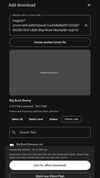
  • Two storage choices: Download selected files to Downloads/Webtor for offline use, or choose Direct Play to keep video in bounded RAM and save only a small verified startup cache. Choose the default in Settings; both actions remain available when adding a torrent.

Torrent Player screenshot 1
Torrent Player screenshot 2
+2
Torrent Player screenshot 3

Cost / License

  • Free
  • Open Source (MIT)

Application type

Since

  • New

Updated

  • Updated Nov 2026

Platforms

  • Android
  • F-Droid
0likes
0articles
Save

Features

Properties

Features

Highlights All activities

Torrent Player News & Activities

Recent activities

Torrent Player information

AlternativeTo Categories

File Sharing, Video & Movies

GitHub repository

  •  49 Stars
  •  1 Forks
  •  0 Open Issues
  •   Updated  
View on GitHub

Popular alternatives

View all
Torrent Player was added to AlternativeTo by c17s5qhu on and this page was last updated .

No comments or reviews, maybe you want to be first?

What is Torrent Player?

  • Two storage choices: Download selected files to Downloads/Webtor for offline use, or choose Direct Play to keep video in bounded RAM and save only a small verified startup cache. Choose the default in Settings; both actions remain available when adding a torrent. Settings offers Auto RAM or a manual cache limit from 16 MiB to 1 GiB per transfer, and a peer connection limit from 8 to 500 (default 55). Auto chooses 64–512 MiB from available memory and active transfers when starting, returning to the app, or configuring a transfer. Both settings survive restarts and apply to active and future transfers. Cache reductions take effect as pieces are replaced; preview tasks retain their separate memory budget. Peer selection uses the original usefulness and recency rules.

  • Fast seeking: A seek stops every download for the old place and fetches the new spot first, then the following blocks in order. A small network learned on the phone predicts when each peer will deliver a block, so the play position is requested from the peers likely to send it first. It runs and is stored only on the device.

  • Continue watching & Play next: Saved positions for every episode, and the next selected video starts when one ends, with its start fetched in advance.

  • Seeding on by default: Completed downloads share their verified pieces until a share ratio of 1.0 or 60 minutes, at up to 256 KiB/s, only on Wi-Fi, and paused during playback. All limits, or seeding itself, can be changed in Settings. In-Progress Streaming & Per-File Playback: Launch directly into your favorite Android video player while downloading progresses, or play finished videos anytime.

  • External-player extras: Naturally ordered episode playlists, matching selected subtitle files, and saved resume positions for players that support the corresponding Android intent/result contracts.

  • Selective File Downloads

  • Battery-Friendly & Low-RAM Stability

-Cached Public Trackers

  • Full Swarm Connectivity: Connects to seeds/ peers via DHT, UDP trackers (OpenTrackr and more), and WebTorrent WebSocket trackers, transferring data over TCP, native uTP, and WebRTC data channels.

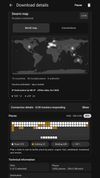
  • Live Connection Maps: Download details offers a world map of approximate peer countries and an expandable branching device/protocol/peer diagram. The view follows the selected theme, shows TCP/uTP/WebRTC counts and animates links only when peer payload counters change. Country lookup uses a bundled offline DB-IP database; unknown and local addresses remain unlocated. Maps refresh once per second while details is visible, and pause clears peer connections.