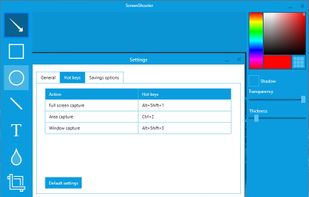
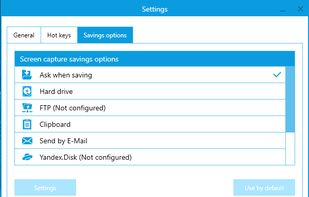
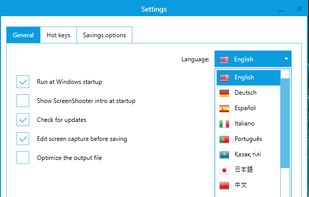
Simple, but powerful application for taking screenshots, editing them with included editor, and saving using multiple options, such as local storage, cloud, FTP-server, or direct copying to the clipboard or E-mail message.


TinyGrab is described as 'Simple yet extremely powerful utility for Mac OS X, Windows and iPhone. Harnessing the power of pre-existing and new OS screenshot taking capabilities, TinyGrab instantly uploads and allows you to share with a small URL— all in under thirty-seconds' and is a screenshot capture tool in the photos & graphics category. There are more than 50 alternatives to TinyGrab for a variety of platforms, including Windows, Mac, Web-based, Android and Linux apps. The best TinyGrab alternative is ShareX, which is both free and Open Source. Other great apps like TinyGrab are PicPick, Snipping Tool, FastStone Capture and Lightshot.
Simple, but powerful application for taking screenshots, editing them with included editor, and saving using multiple options, such as local storage, cloud, FTP-server, or direct copying to the clipboard or E-mail message.


aScreenshot, as its name implies, is a screenshot app, which capture your device's current screen display and save as a PNG or JPEG file.


TeenyGrab is a free alternative to TinyGrab. TinyGrab is a popular application for quickly uploading screenshots, and sharing them. The only problem is, the full version (with features such as uploading to a custom FTP server) costs $$$.

Onde Screen Capture for Mac is currently the most professional and powerful screen grabbing utility running on Mac OS, by which you can easily capture any part on your Mac desktop such as rectangular or ellipse region, freehand region, full screen, active window or all windows...


GNOME Screenshot is a utility used in the GNOME desktop environment for taking screenshots. It was part of the GNOME Utilities (gnome-utils) package, but was split into its own package for the 3.3.1 version in 2011.

Screenshot allows to take screenshots of your phone's screen. You can set a delay in second before capture (timer). Files are saved in Bitmap, PNG or JPG format in the screenshots's directory.

This is just a screen-capture toy, nothing more. If you don't know how to take screenshots with the system functions, use this tool :-).


Pixtick, an online application, can capture screenshot from browser. No download or installation required. Its having robust annotation tools to annotate and edit screenshots and images from hard drive or from web.


Screenshot ER is a free screen capture app for all rooted devices, proven to work where nothing else does. Easy to use and with lots of settings for capture maniacs too!


GrabBox is a utility that reacts to the screenshots you take. It automatically copies the screenshots to your Dropbox Public folder, and then copies the URL to the clipboard – ready to share with friends or strangers!


No Root Screenshot It is an application that lets you take screenshots of your phone. This application works on ALL phones. Root is NOT required.