TextGlance Alternatives

TextGlance is described as 'Makes it effortless to grab text from anywhere on your Mac. See text you can't select in videos, images, or PDFs? Just drag a lasso and get editable text instantly. On-device OCR, no cloud uploads' and is an app in the os & utilities category. There are more than 25 alternatives to TextGlance for a variety of platforms, including Mac, Windows, Linux, Android and iPhone apps. The best TextGlance alternative is GImageReader, which is both free and Open Source. Other great apps like TextGlance are NormCap, Capture2text, Text Lens and dpScreenOCR.

Copy a direct link to this comment to your clipboard
TextGlance alternatives page was last updated

Alternatives list

  1. Screen OCR icon
     3 likes
    Copy a direct link to this comment to your clipboard

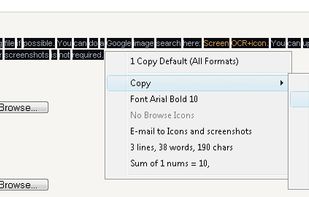
    Screen OCR is a screen capture and character recognition tool. You can use Screen OCR in any way you are most comfortable with. It can be window selection, scrolling capture, simple cursor capture or rectangular selection.

    Cost / License

    • Paid
    • Proprietary

    Application type

    Platforms

    • Windows
     
  2. Copy a direct link to this comment to your clipboard

    Boxoft Screen OCR is fast and easy-to-use software which helps to extract any area on your screen, recognize every character and then save as TXT file. Price: 27 USD. The smart tool enables you to select text from anywhere on the screen, including areas that you cannot highlight...

    Cost / License

    • Paid
    • Proprietary

    Application type

    Platforms

    • Windows
     
  3. Copy a direct link to this comment to your clipboard

    Universal Copy is the fastest way to copy text on Android, even from the apps that won’t let you or inside images.

    Cost / License

    • Freemium (Pay once)
    • Proprietary

    Platforms

    • Android
    • Android Tablet
     
  4. Condense icon
     Like
    Copy a direct link to this comment to your clipboard

    Typing out has come to a end. Say ‚Hello‘ to Condense. Your easy to use optical character recognition (OCR) application.

    Cost / License

    • Pay once
    • Proprietary

    Platforms

    • Mac
     
  5. Copy a direct link to this comment to your clipboard

    With TextGrabber you can easily copy text anywhere on your screen.

    Cost / License

    • Free
    • Proprietary

    Platforms

    • Mac
     
  6. Copy a direct link to this comment to your clipboard

    Simplify your workflow with Textly – the ultimate tool for capturing text, copying it, and pasting it wherever you need. Whether you’re working on a project, taking notes, or organizing information, Textly makes text management seamless and efficient.

    Cost / License

    • Freemium (Pay once or Subscription)
    • Proprietary

    Platforms

    • Mac
     
  7. Copy a direct link to this comment to your clipboard

    Scan all the text on screen and translate them all at once.

    Cost / License

    • Freemium (Pay once)
    • Proprietary

    Platforms

    • Mac
     
  8. picatext icon
     Like
    Copy a direct link to this comment to your clipboard

    You need to get the text out of an image or from anywhere on your screen? With picatext this is as easy as selecting a file or a screen area. So now you can get the text you need in almost no time. No need to tediously typewrite everything again.

    Cost / License

    • Pay once
    • Proprietary

    Platforms

    • Mac
     
  9. Grab2Text icon
     Like
    Copy a direct link to this comment to your clipboard

    Copy text from images or any digital documents (including handwritten text).

    Cost / License

    • Free
    • Proprietary

    Platforms

    • Mac
     
You are at page 3 of TextGlance alternatives