





Terminal Tags
3 likes
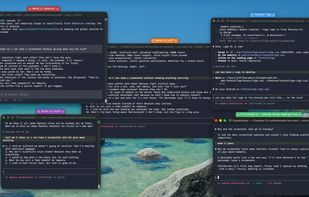
terminal –tags (“Terminal Tags”) does two jobs at once. First: it puts floating color-coded labels on your terminal windows so you can tell which window is running which task at a glance — no more hunting through 15 identical-looking Terminal tabs.

Cost / License
- Freemium (Pay once or Subscription)
- Proprietary
Application type
Platforms
- Mac
- Windows
- Linux

Features
Terminal Tags News & Activities
Highlights All activities
Recent activities
 Bobby Coleman added Terminal Tags as alternative to Oxide Terminal
- Ben liked Terminal Tags
- Jeff Schiesser updated Terminal Tags
- s85yc8hzh5 liked Terminal Tags
- Jeff Schiesser liked Terminal Tags
- Jeff Schiesser added Terminal Tags
 Jeff Schiesser added Terminal Tags as alternative to iTerm2, Warp Terminal, Tabby and Hyper


Terminal Tags information
Developed by
 Bravely Studios
 Licensing
Proprietary and Freemium product.Pricing
One time purchase that costs up to $50, and / or subscription ranging between $4 and $25 per month + free version with limited functionality.Alternatives
5 alternatives listedBadge
Get an embeddable badge for Terminal TagsSupported Languages


No comments or reviews, maybe you want to be first?