


Tenon
Like
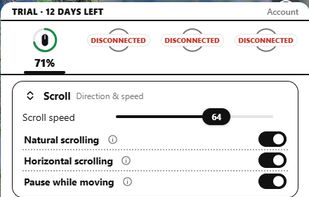
Tenon makes Apple's Magic Mouse, Magic Trackpad and Magic Keyboard work fully on Windows: smooth inertial scrolling, full multi-finger gestures (with tap and force-click on the trackpad), media and function keys, macOS-style Cmd?Ctrl remapping, and battery levels.

Cost / License
- Freemium
- Proprietary
Platforms
- Windows

Features
Tenon News & Activities
Highlights All activities
Recent activities
- Mauricio B. Holguin updated Tenon
- Jim added Tenon
- Jim added Tenon as alternative to Magic Utilities, Trackpad++, FN Key Lock and Mac Precision Touchpad
Tenon information
Developed by
SmoothGrain StudiosLicensing
Proprietary and Freemium product.Pricing
free version with limited functionality.Alternatives
4 alternatives listedBadge
Get an embeddable badge for TenonSupported Languages

No comments or reviews, maybe you want to be first?